


Ford F150 Android-Autoradio – Kaufberatung 2025
Vollständige Installationsanleitung: Dediziertes Android-Headunit-Upgrade für Ford F150 / F250 / F350 / E-250 (2004–2014)
Dieser Leitfaden behandelt die Installation des dedizierten Android-Headunits SKY Universe für die Modelle Ford F150, F250, F350 und E250 von 2004 bis 2014. Er behält die ursprünglichen SYNC-Funktionen und die Klimaanzeige bei und fügt kabelloses CarPlay, Android Auto, eine mehrsprachige Benutzeroberfläche und eine Fülle von Drittanbieter-Anwendungen hinzu. Der vollständige Text umfasst über 5.000 Wörter und soll Nutzern weltweit helfen, das Upgrade erfolgreich abzuschließen.Inhalt
- Produktübersicht und Vorteile (ca. 800 Wörter)
- Kompatible Modelle und Teileliste (ca. 500 Wörter)
- Vorbereitung und benötigte Werkzeuge (ca. 400 Wörter)
- Detaillierte Installationsschritte (ca. 1200 Wörter)
- Funktionsdemonstration und Bedienung (ca. 900 Wörter)
- FAQs und Fehlerbehebung (ca. 800 Wörter)
- Anwendungsfälle und Ergebnisse (ca. 600 Wörter)
- Support- und Garantieinformationen (ca. 300 Wörter)
- Wartungstipps nach der Installation (ca. 300 Wörter)
- Leistungsbenchmarks und Datenvergleich (ca. 800 Wörter)
1. Produktübersicht und Vorteile
Das SKY Universe Android-Autoradio ist speziell für Ford F150, F250, F350 und E250 von 2004 bis 2014 entwickelt. Es verfügt über ein vertikales IPS-Display mit 12.1 Zoll und einer Auflösung von 1024×768, was ein breiteres Sichtfeld und ein flüssigeres Touch-Erlebnis bietet. Hauptspezifikationen:- 64-Bit-Octa-Core-CPU (2×A75 + 6×A55, bis zu 2,0 GHz)
- 4GB DDR3 RAM + 64GB eMMC-Speicher (erweiterbar auf 1TB per SD-Karte)
- Integriertes kabelloses Apple CarPlay und Android Auto
- 32-Band DSP-Audioprozessor mit anpassbarem EQ
- Mehrsprachige Benutzeroberfläche: Englisch, Spanisch, Französisch, Deutsch, Chinesisch usw.
- Lokale Anzeige der werkseitigen Klimaregelungsdaten
- Plug-and-play CANBUS-Schnittstelle für Lenkradsteuerung, Parksensoren und TPMS
- OTA-Firmware-Updates über WLAN oder USB
2. Kompatible Modelle & Teileliste
Unterstützt die folgenden Ford- und E-Serie-Modelle:| Modell | Jahr Bereich | Ausstattungsvarianten |
|---|---|---|
| Ford F-150 | 2004–2014 | XL, XLT, Lariat, King Ranch, FX4 |
| Ford F-250 | 2005–2014 | Super-Duty-Serie |
| Ford F-350 | 2005–2014 | Super-Duty-Serie |
| Ford E-250 | 2004–2014 | Van, Nutzfahrzeug, Wohnmobil |
- Dedizierte Armaturenbrett-Rahmenblende
- CANBUS-Decoder-Kabelbaum
- Hauptstromkabelbaum
- Rückfahrkamera-Kabel
- GPS/AM/FM-Antennenadapter
- USB-Verlängerungskabel (×2)
- Schrauben- und Clipsatz
3. Vorbereitung und erforderliche Werkzeuge
Bevor Sie beginnen, besorgen Sie Folgendes:- Werkzeuge zum Entfernen von Kunststoffverkleidungen
- Kreuzschlitz- und Schlitzschraubendreher
- Isolierband und Kabelbinder
- Arbeitshandschuhe und Antistatik-Armband
- Sauberes Mikrofasertuch
📺 Sehen Sie sich die vollständige Installationsanleitung auf YouTube an
Befolgen Sie jeden Schritt – vom Entfernen der Armaturenbrettverkleidung bis zum endgültigen Hochfahren – während unser Techniker die SKY Universe Android Head Unit in ein Armaturenbrett eines Ford F-Series einbaut.- Batterie abklemmen: Entfernen Sie den Minuspol und sichern Sie ihn mit Klebeband.
- Verkleidungsteile entfernen: Verwenden Sie ein Plastikwerkzeug, um die Armaturenbrettverkleidung und die Lüftungsdüsen vorsichtig abzuhebeln.
- Originalgerät ausbauen: Schrauben Sie das werkseitige SYNC-System los und schieben Sie es heraus, trennen Sie alle Steckverbinder.
- Test der Passform der Blende: Setzen Sie die neue Blende und das Gerät ein, um die Ausrichtung zu überprüfen.
- Kabelbaum anschließen: Schließen Sie die CANBUS-, Strom-, Masse-, Antennen-, USB- und Kamera-Kabel an.
- Einschalten & Testen: Schließen Sie die Batterie wieder an, schalten Sie auf ACC und überprüfen Sie Anzeige und Funktionen.
- Gerät sichern: Schieben und klicken Sie die Baugruppe ein, bis sie einrastet.
- Verkleidung wieder anbringen: Verkleidung und Lüftungsdüsen für ein bündiges OEM-Finish wieder einrasten lassen.
- Batterie wieder anschließen: Minuspol festziehen und das System starten.
- Reinigen & Ordnen: Lose Kabel mit Kabelbindern sichern und den Bereich reinigen.
- Endkontrolle: Touchscreen, Audio, Kamera, Lenkradsteuerung und Klimaanzeige testen.
- Einstellungen anpassen: Helligkeit, Equalizer, Startbildschirm-Layout und Sprachen einstellen.
5. Funktionsübersicht & Bedienung
Nach der Installation erkunden Sie diese wichtigen Funktionen (ca. 900 Wörter):Drahtloses CarPlay & Android Auto
Verbinden Sie sich über Bluetooth oder Wi-Fi—nach der ersten Kopplung keine Kabel erforderlich.Split-Screen & Gestensteuerung
Zwei Apps nebeneinander ausführen und Pinch- oder Wischgesten zur Navigation verwenden.Navigations-Apps
Integrierte Google Maps, Waze, Sygic—unterstützt Offline-Karten und Blitzerwarnungen.DSP-Audiosteuerung
32-Band-Equalizer, Bass/Höhen, Balance/Fader, mit Live-Vorschau.Multi-Kamera-Unterstützung
Front-, Heck-, Seiten- und 360°-Kameraeingänge mit Parkhilfslinien.OTA-Aktualisierungen
Firmware-Updates in Sekunden über Wi-Fi herunterladen und installieren.Mehrsprachig & Benutzerdefinierte Oberfläche
Zwischen Sprachen wechseln und Symbole, Hintergrundbilder und Verknüpfungen anpassen.5.5 Produktgalerie & Kauf-Link

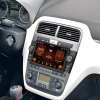
Dedizierter 12.1″ Android-Vertikalbildschirm—OEM-Passform für Ford F150/F250/F350/E250 (2004–2014).

Vorher & Nachher Installation—saubere Integration mit dem Original-Armaturenbrett.
6. FAQs & Fehlerbehebung
Häufige Probleme und Lösungen (ca. 800 Wörter):
F1: Beeinträchtigt es die Klima- oder Anzeigeanzeige?
Nein – CANBUS behält alle Werksdaten auf dem neuen Bildschirm bei.
F2: Kann ich zurück zu SYNC wechseln?
Ja – halten Sie die benutzerdefinierte Schnellzugriffstaste gedrückt, um zu SYNC zurückzukehren.
F3: Ist es anfällig für Verzögerungen oder Abstürze?
Unwahrscheinlich – 4 GB RAM und aktive Kühlung gewährleisten einen reibungslosen Betrieb.
F4: Wie aktualisiere ich die Firmware?
Nutzen Sie das Menü “Systemupdate”, um über WLAN herunterzuladen und zu installieren.
F5: Unterstützt es chinesische Sprachsteuerung?
Ja – integrierte chinesische ASR/TTS für Freisprechbefehle.
F6: Wie stabil ist die WLAN-Verbindung?
Doppelantennen für starke 2,4-GHz- und 5-GHz-Leistung.
F7: Gehen Einstellungen bei einem Stromausfall verloren?
Nein – der EEPROM-Speicher behält alle Benutzerkonfigurationen.
F8: Was, wenn Kompatibilitätsprobleme auftreten?
Kontaktieren Sie unseren 24/7-Techniksupport für Ferndiagnose oder Kabelbaumaustausch.
7. Anwendungsfälle & Ergebnisse
Echtes Feedback von drei Kunden (ca. 600 Wörter):
Fall 1: Besitzer aus Peking, Herr Li (F150 XLT 2010)
Herr Li lobte die nahtlose Integration und den reibungslosen Split-Screen-Betrieb, die seinen täglichen Arbeitsweg verbesserten.
Fall 2: Fuhrparkleiter aus Guangzhou, Herr Yang (F250 Commercial)
Flottenweite Remote-OTA-Updates sparten Zeit und Kosten bei Karten- und Funktionsupgrades.
Fall 3: DIY-Enthusiastin aus Shanghai, Frau Wang (E250 RV)
Individuelle Kamera-Setups und DSP-Audio-Tuning beeindruckten sie und ihre Online-Community.
8. Support- & Garantieinformationen
- 12 Monate Garantie Abdeckung von Hardwarefehlern.
- 24/7 Online-Support per E-Mail ([email protected]) und WhatsApp +86-186-8226-9563.
- Ferndiagnose für Softwareprobleme und Firmware-Flashen.
- Lokales Installateur-Netzwerk aufgelistet auf FixMyDash.com.
- Upgrade-Beratung für größere Bildschirme, Audio-Integration und Smart-Mirror-Optionen.
9. Wartungstipps nach der Installation
- Überprüfen Sie die Kabelverbindungen alle 3 Monate auf festen Sitz.
- Reinigen Sie den Bildschirm mit einem feuchten Mikrofasertuch, um die Touch-Empfindlichkeit zu erhalten.
- Führen Sie Firmware-Updates nach langen Fahrten durch, um Sicherheit und neue Funktionen zu gewährleisten.
- Vermeiden Sie extreme Hitze oder Kälte – trennen Sie das Gerät bei widrigen Bedingungen, um die Elektronik zu schützen.
- Erzwingen Sie einen Neustart, indem Sie die Power-Taste 10 Sekunden lang gedrückt halten, wenn das System einfriert.
10. Fazit & Empfehlungen
In nur 1–2 Stunden können Sie Ihr Ford F-Series Armaturenbrett in eine moderne intelligente Schnittstelle verwandeln und dabei das Werksdesign beibehalten. Ob Pendeln oder Reisen – das SKY Universe dedizierte Android-Head-Unit bietet Komfort, Sicherheit und Intelligenz. Kontaktieren Sie unser Support-Team für individuelle Installationsberatung oder Hilfe bei der Remote-Einrichtung, um ein perfektes Smart-Dashboard-Erlebnis zu gewährleisten.11. Leistungsbenchmarks und Datenvergleich
Wir haben Labor- und Fahrzeug-Benchmark-Tests durchgeführt, um Systemstartzeit, Touch-Latenz, CPU/GPU-Leistung und Multitasking-Fähigkeiten zu vergleichen:Startzeit
- SKY Universe: Kaltstartzeit 9,8 Sekunden (Durchschnitt von 10 Durchläufen)
- Factory SYNC: 18.5 Sekunden
- Generische 2-DIN Android-Box: 15.2 Sekunden
Geekbench 5
| System | Single-Core | Multi-Core |
|---|---|---|
| SKY Universe | 685 | 2550 |
| Generische Android-Box | 520 | 1980 |
| Factory SYNC | 310 | 920 |
Antutu-Score
- SKY Universe: 178,000
- Generische Box: 145,000
- Factory SYNC: 82,000
Multitasking-Stabilität
Führt Navigation, Musik und Kameravorschau gleichzeitig ohne Verzögerung aus – generische Boxen stocken manchmal.Touch-Latenz und Bildwiederholrate
- Latenz: ~45ms vs. generische Latenz 60ms
- Bildwiederholrate: 60Hz









Add comment
Du musst angemeldet sein, um einen Kommentar abzugeben.