












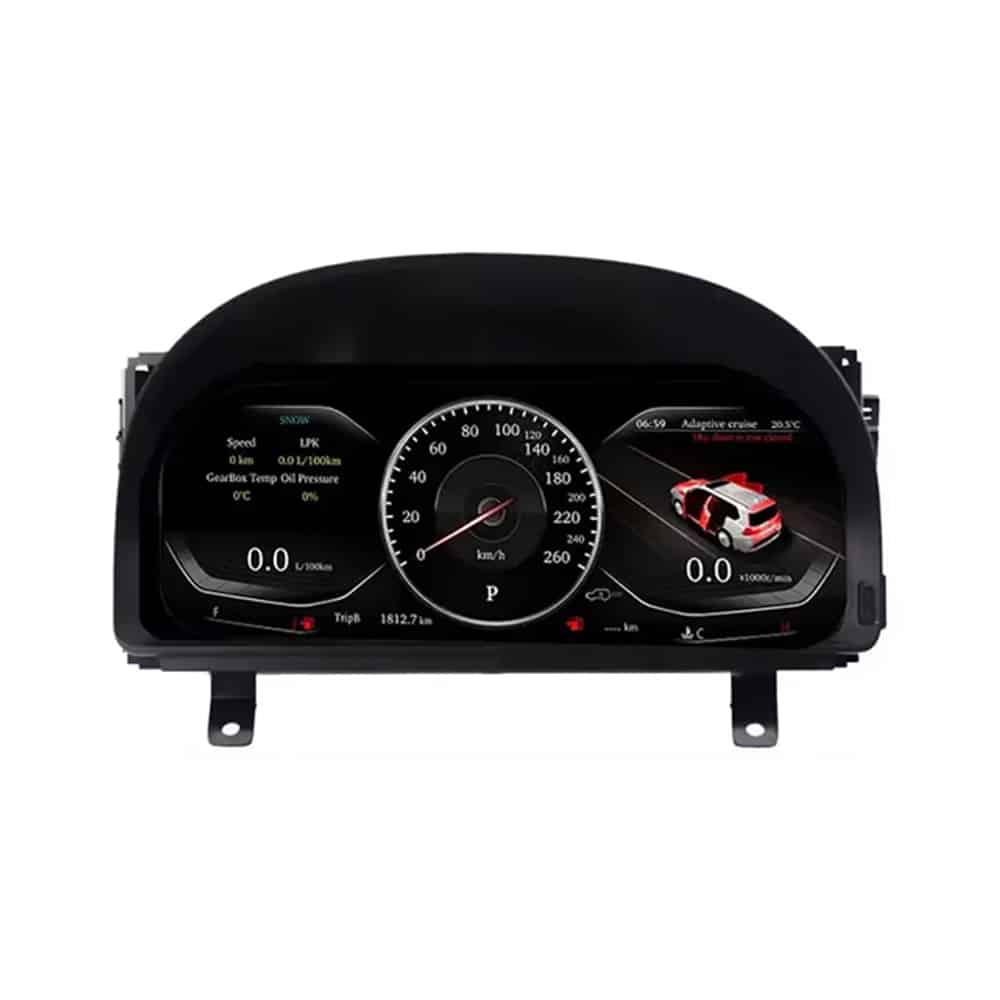
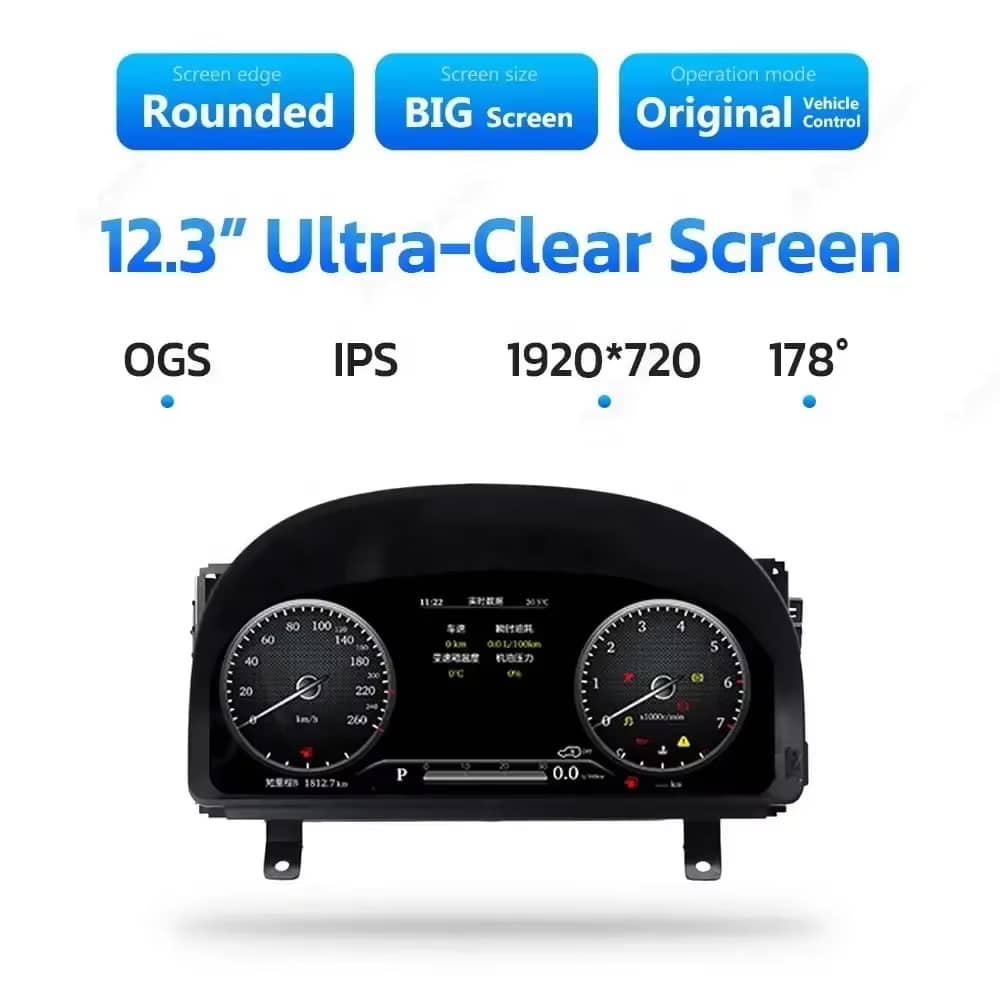
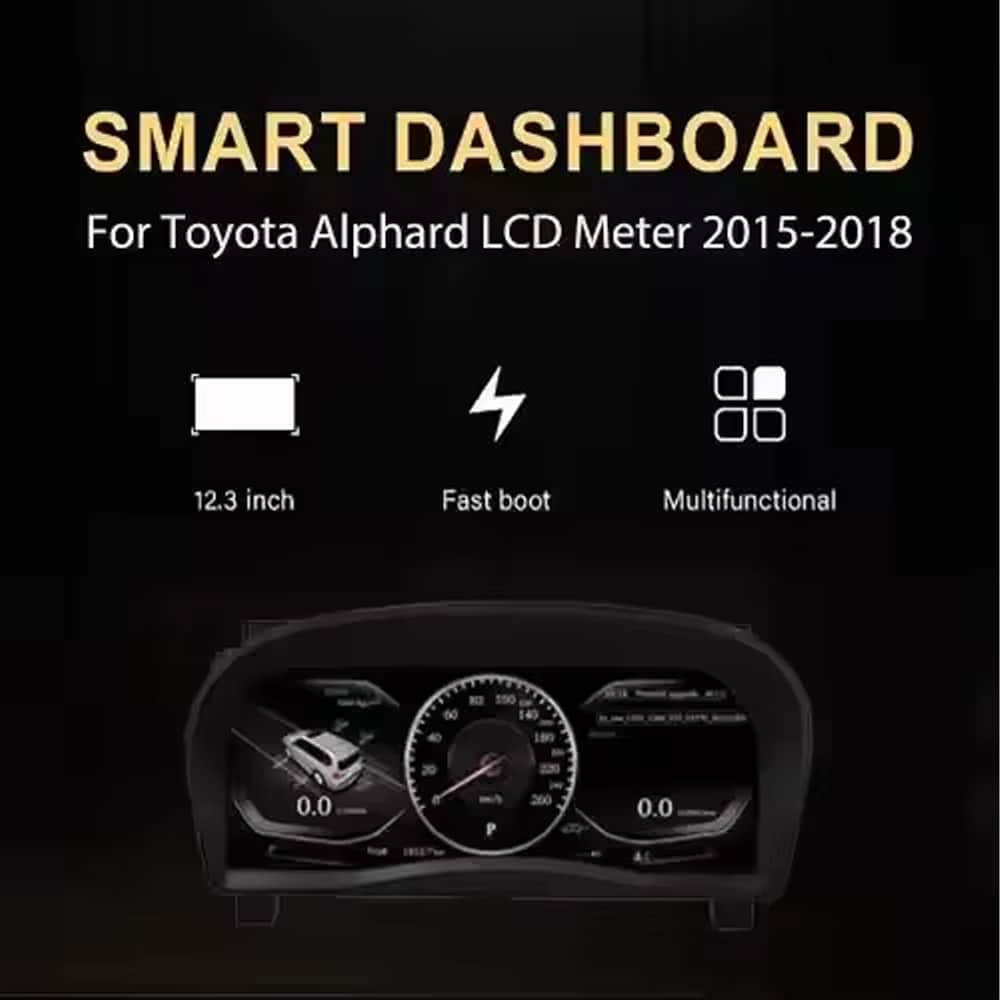
Clear 12.3-Inch Display
A wide 1920×720 screen makes speed, RPM, gear and vehicle information easier to view from the driver’s position.

| Gewicht | 6 kg |
|---|---|
| Maße | 48 × 38 × 28 cm |
| Unterstützung Auto | Alphard 20er-Serie (2008–2019) |
| Kompatibilität der Produkte | Plug and Play |
| Herkunft des Produkts | Kein echtes Originalprodukt |


$995.00 Ursprünglicher Preis war: $995.00$785.00Aktueller Preis ist: $785.00.

Wir kümmern uns um die Mehrwertsteuer und die Zölle. Geschätzte Ersparnis: $120-$280.
Sie können Kontakt aufnehmen
You are also choosing compatibility review, installation guidance, a 12-month hardware warranty and a long-term support route for the years you expect to use the product.
 Sichere Kaufabwicklung
PayPal, cards and supported local payment methods.
→
Sichere Kaufabwicklung
PayPal, cards and supported local payment methods.
→
 Weltweiter Versand mit Sendungsverfolgung
Tracking information is provided after dispatch.
→
Weltweiter Versand mit Sendungsverfolgung
Tracking information is provided after dispatch.
→
 Long-Term After-Sales Support
Your order remains the reference for troubleshooting, software guidance, parts support and repair coordination.
→
Long-Term After-Sales Support
Your order remains the reference for troubleshooting, software guidance, parts support and repair coordination.
→
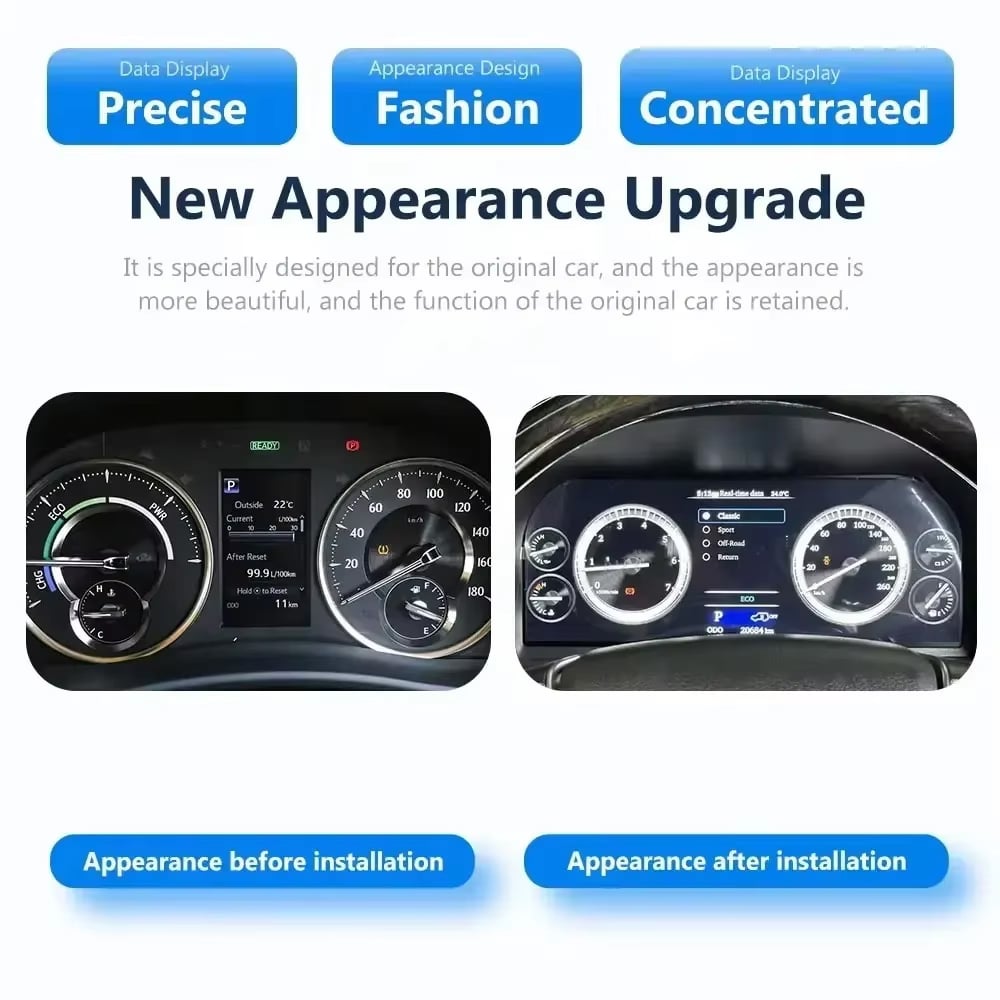
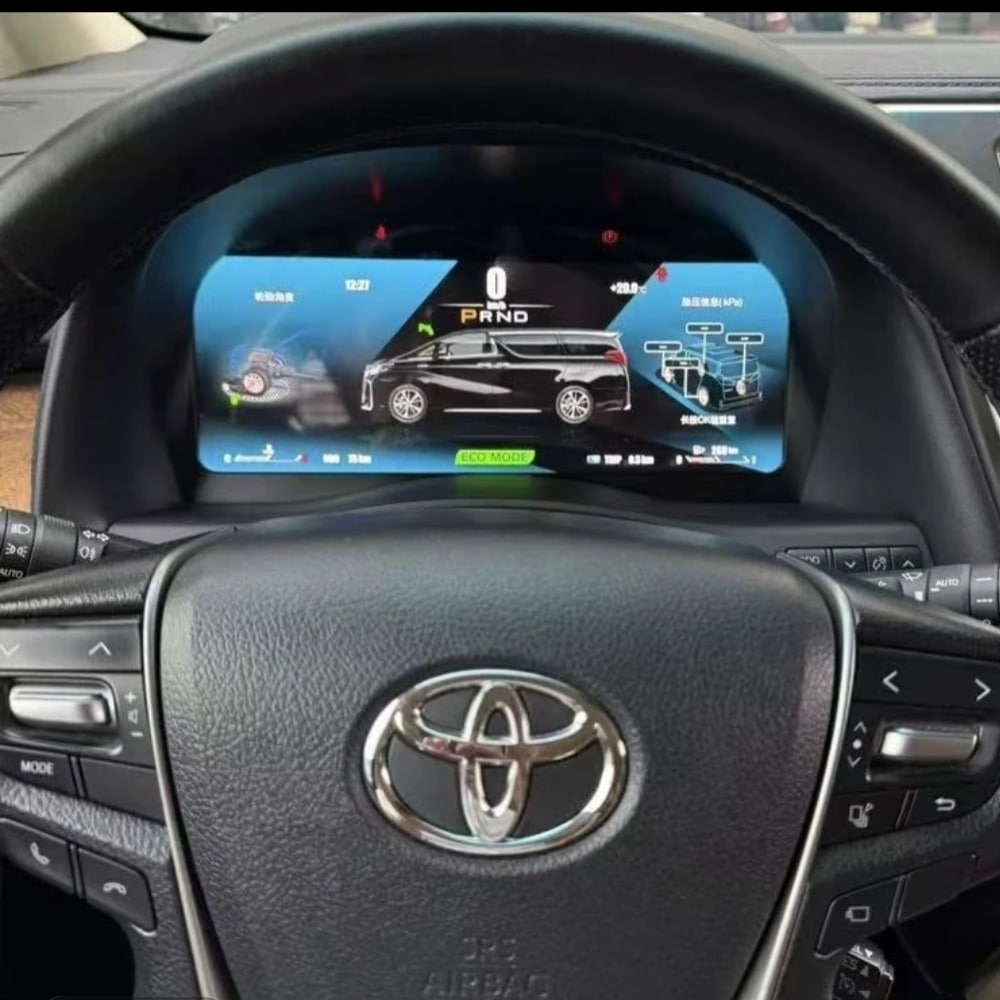
Das Toyota Alphard 20 Series digital cluster replaces the original gauge assembly with a 12.3-inch, 1920×720 Linux LCD display. It gives you a clearer digital view of speed, RPM, gear position, fuel information, temperature, mileage and supported vehicle warnings while keeping the dashboard layout integrated with the vehicle.
This is a complete instrument-cluster upgrade, not an Android radio or a CarPlay-only module. iKAGOO checks your vehicle year, dashboard photo, market specification, steering position and original connector configuration before shipment so the correct cluster and matched wiring can be prepared for your order.
This product is a vehicle-specific full-LCD instrument cluster for the Toyota Alphard 20 Series, generally associated with the second-generation dashboard introduced from 2008 until the 2015 model transition. It replaces the original instrument assembly and displays supported driving and vehicle information through a modern digital layout.
Registration years can overlap between markets. Send iKAGOO a clear photo of your current instrument cluster and dashboard before shipment. Customers with the later 2015–2019 dashboard should use the separate later-generation cluster version shown further down this page.
The value is not limited to a larger screen. This upgrade changes the information you see every time you drive and gives an older Alphard cockpit a cleaner digital presentation.
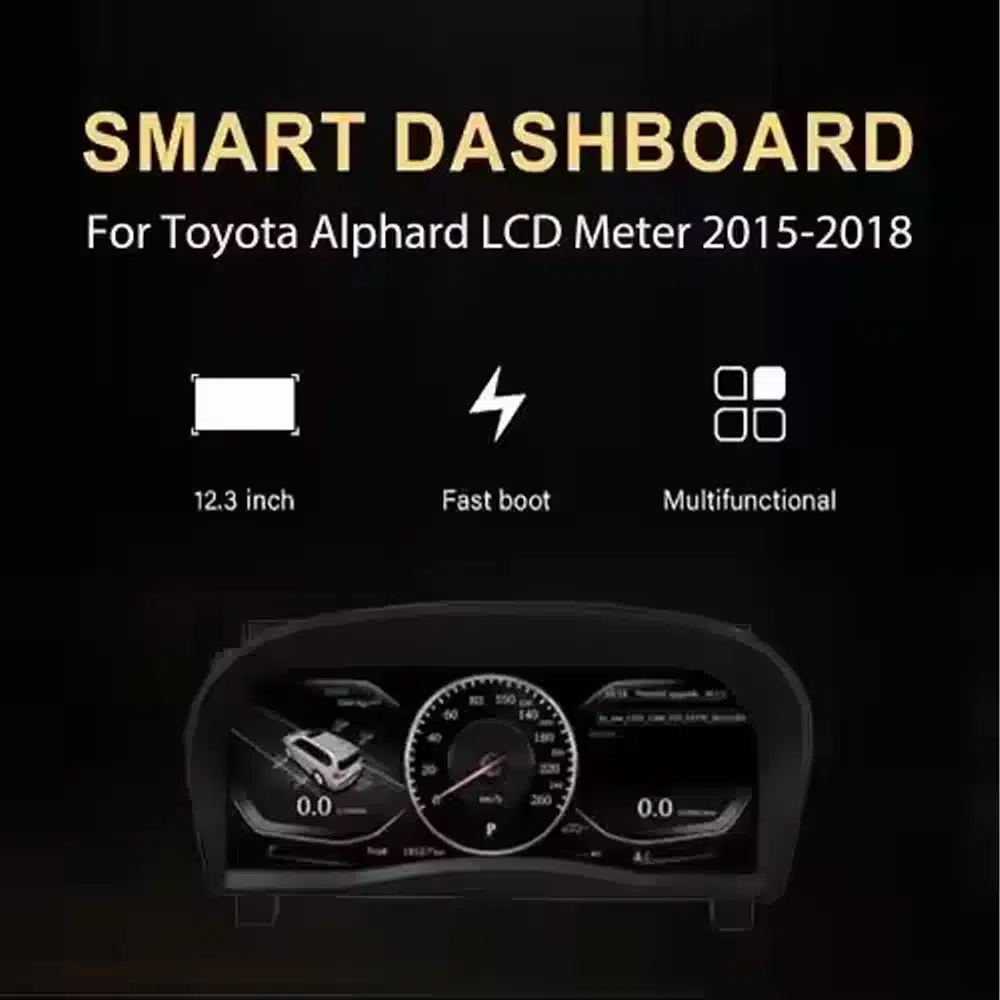
A wide 1920×720 screen makes speed, RPM, gear and vehicle information easier to view from the driver’s position.
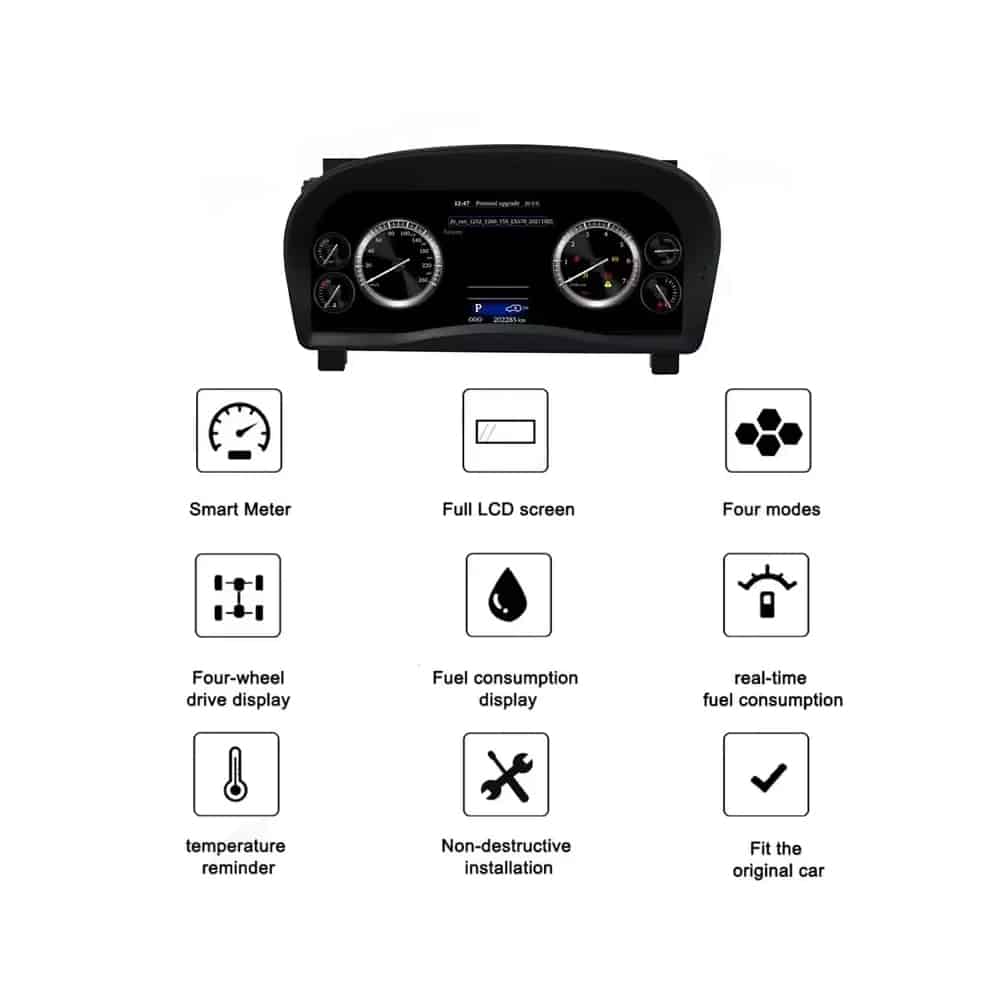
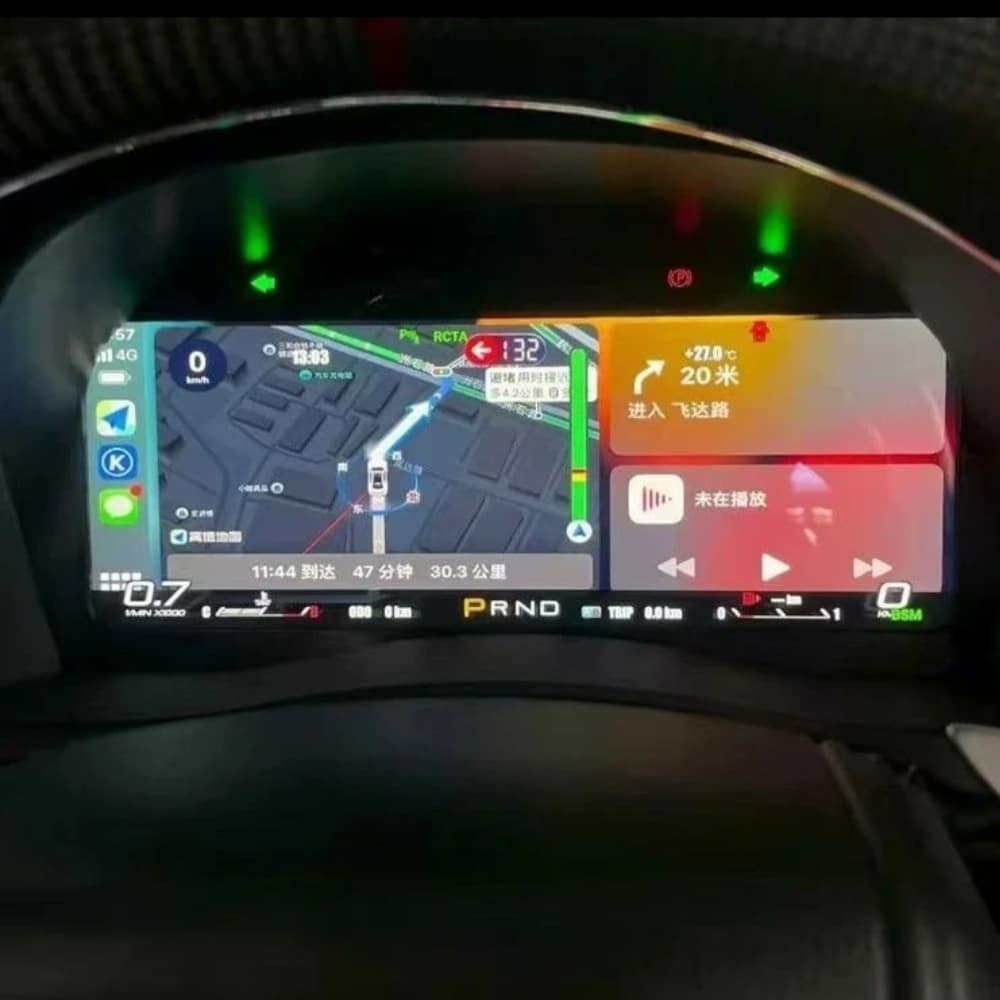
Choose from multiple instrument themes and layouts. The exact theme set depends on the cluster version prepared for your vehicle.
The cluster uses a dedicated Linux instrument system designed for fast startup and direct access to driving information.
Supported speed, RPM, gear, fuel, temperature, mileage, consumption and warning information continue to be displayed.
MPH or KM/H, interface language and regional vehicle details can be checked as part of your order preparation.
iKAGOO prepares the applicable cluster and wiring arrangement according to the vehicle information you provide.
With the correct Alphard version, matched wiring and proper installation, the cluster is designed to continue displaying the original driving information you rely on.
Original vehicle speed and engine-speed information are supported.
Supported gear-position information continues to be shown on the digital display.
Fuel-level, coolant-temperature and related vehicle information remain available.
Odometer and trip information are supported through the prepared cluster configuration.
Supported warning indicators and vehicle-status information continue to be displayed.
Supported fuel-consumption and driving-information pages remain available.
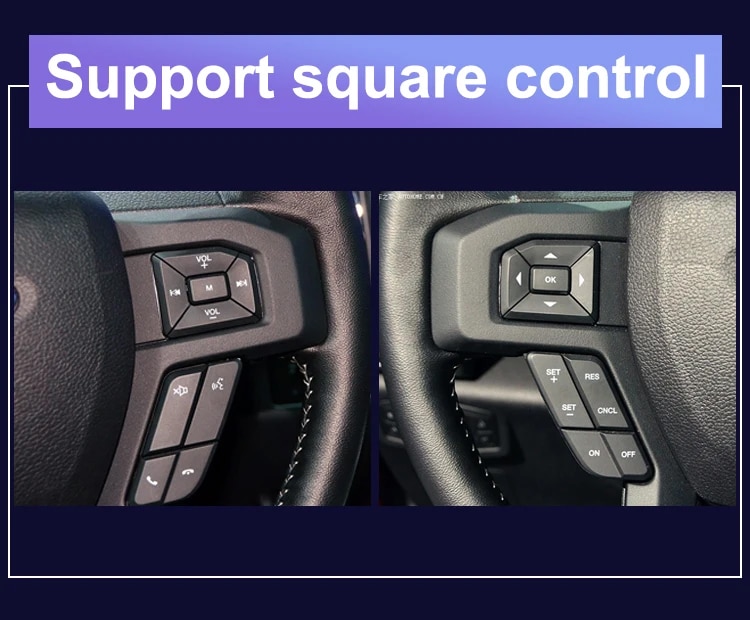
Original steering-wheel instrument controls remain supported where equipped.
Applicable hybrid-energy or four-wheel-drive information is supported when available from the original vehicle configuration.
The matched harness is designed to connect without intentionally cutting the supported factory main wiring.
These images show the physical cluster assembly, rear housing, screen structure and connection hardware supplied for the upgrade.
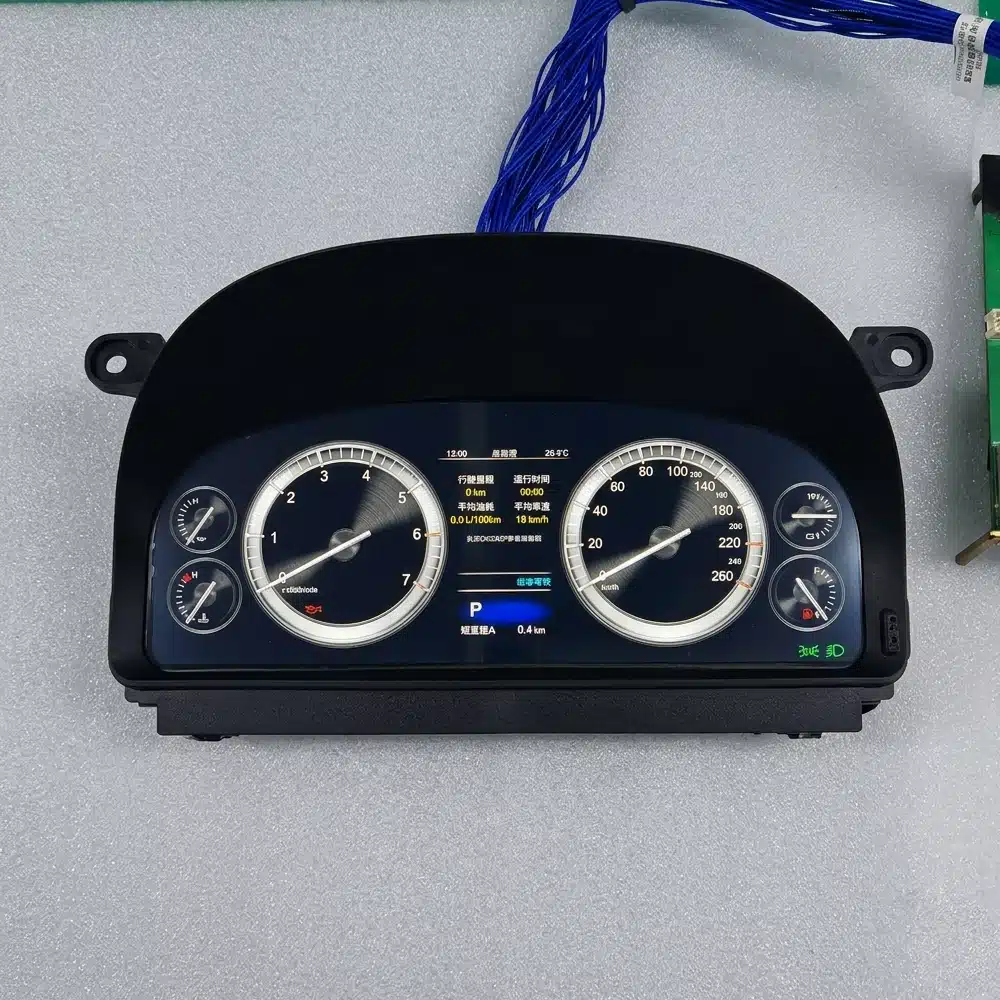
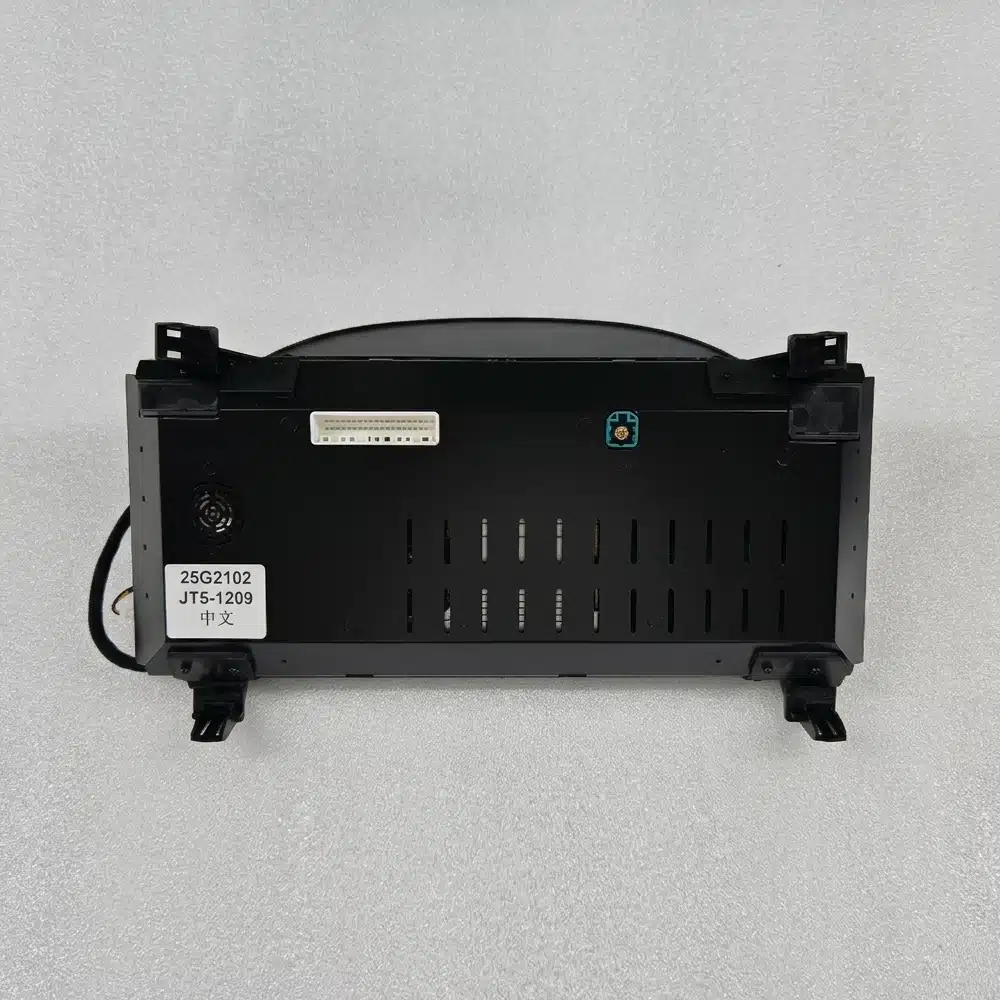
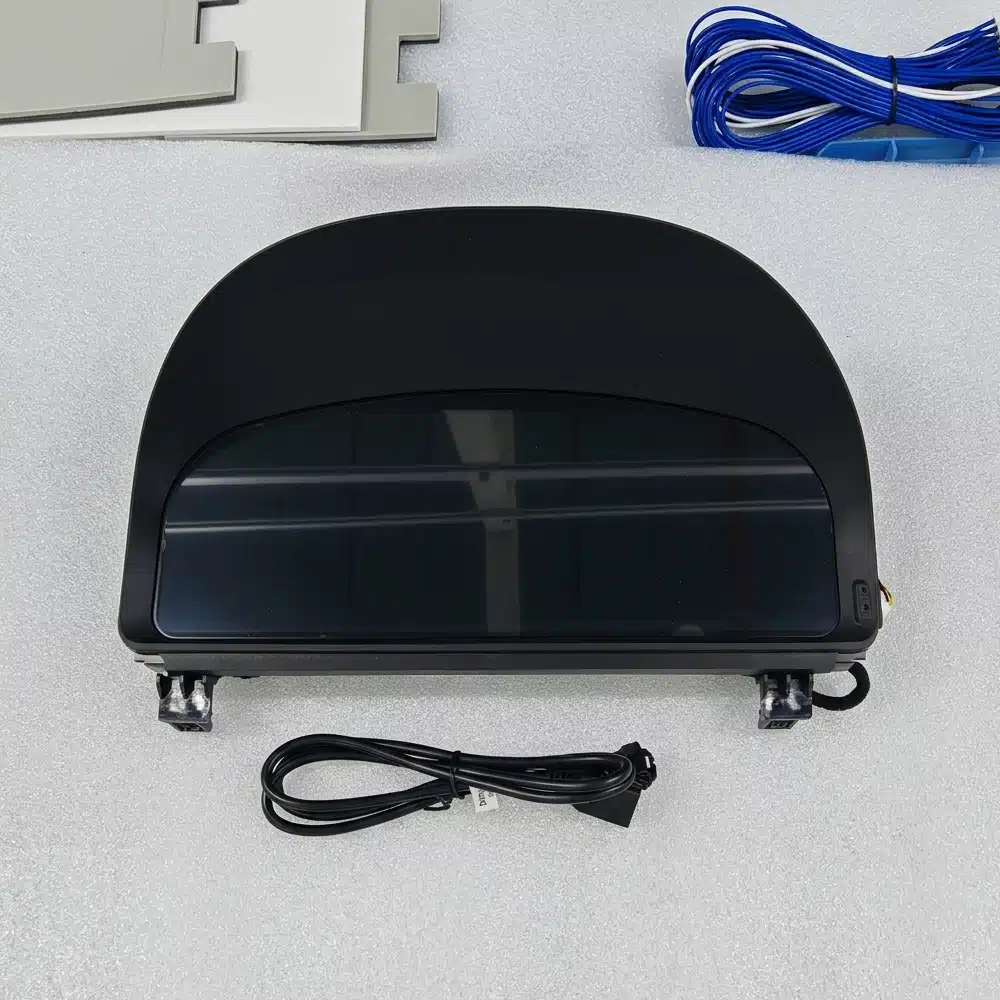
The instrument cluster is built around a dedicated Linux system rather than a general-purpose Android entertainment platform. This keeps the focus on driving data, instrument layouts and fast access to essential information.
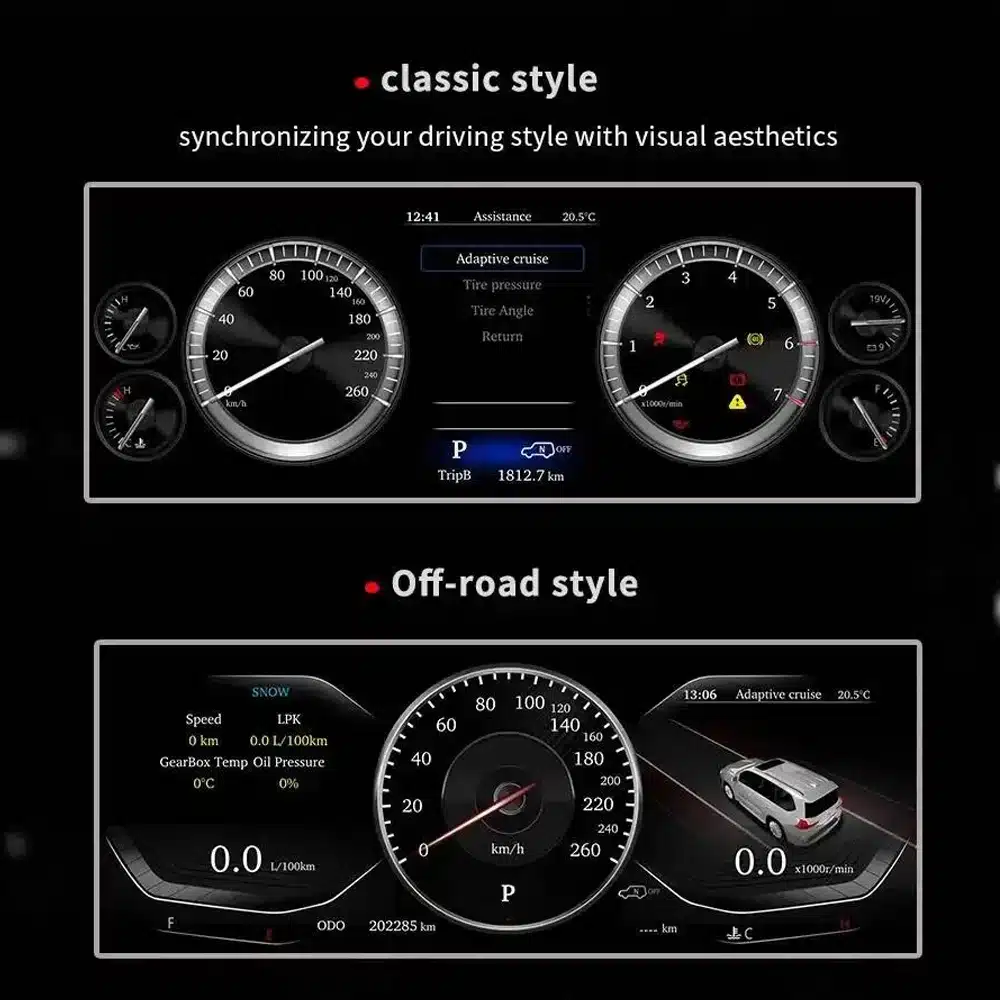
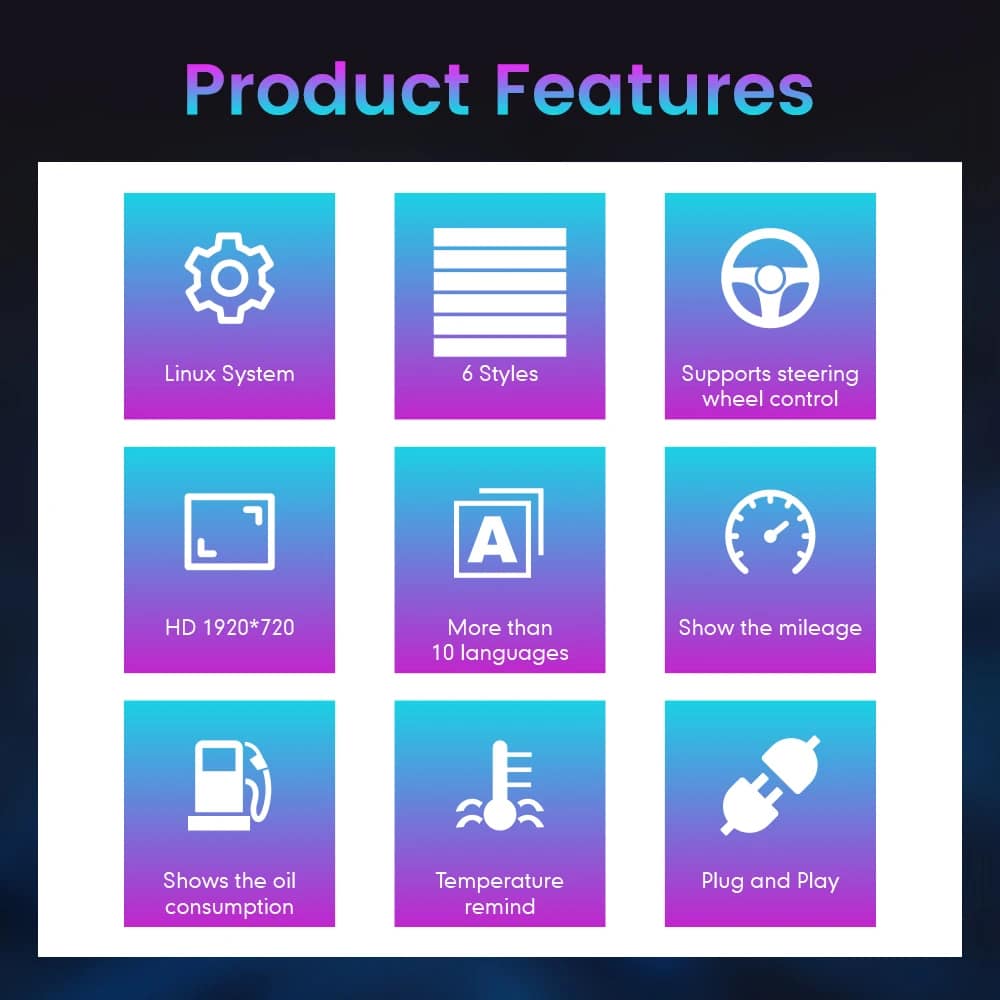
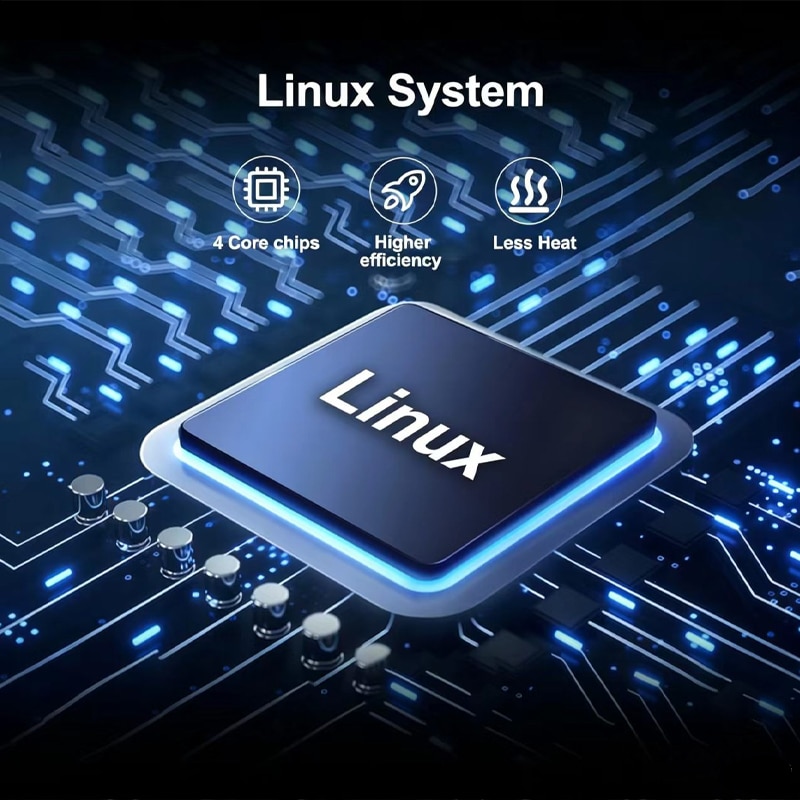
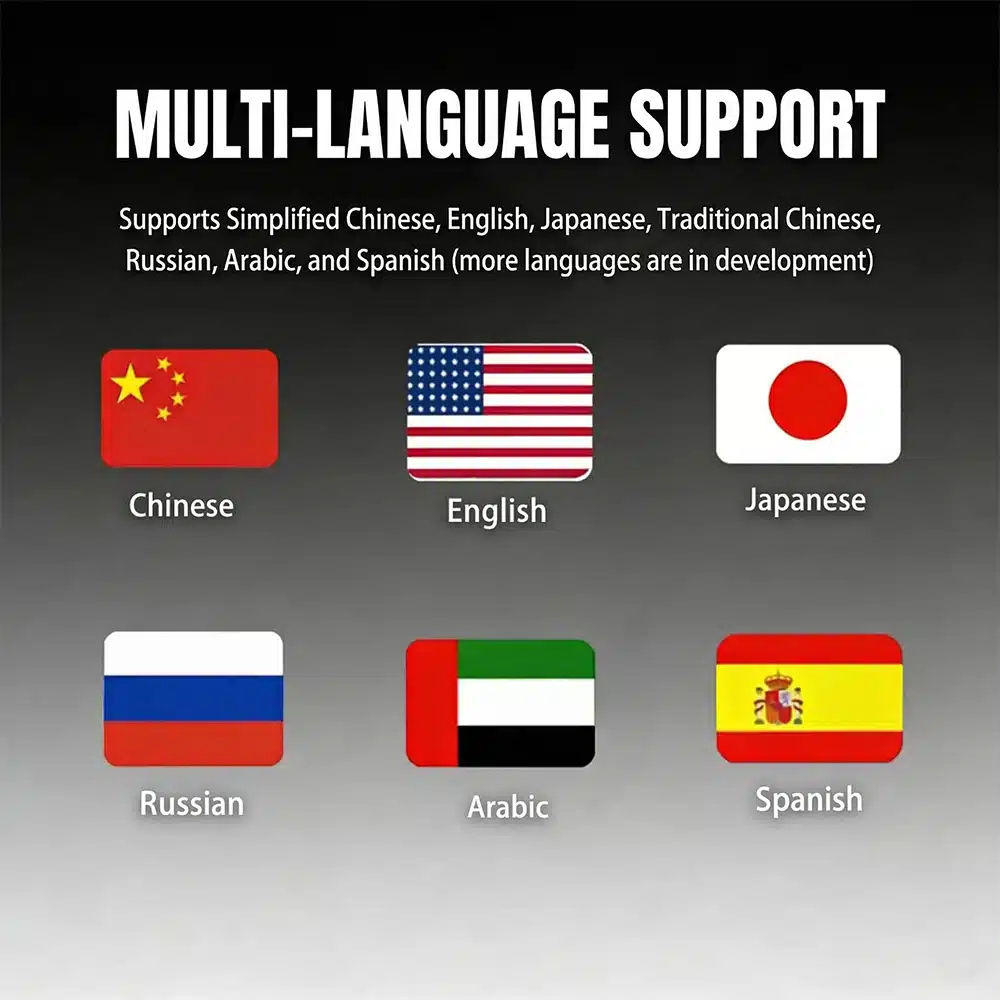
The instrument cluster is directly in front of you every time you drive. The wider display and revised layouts are visible on every journey, not only when using a specific app.
For imported vehicles, a small MPH converter may solve one problem. A full digital cluster can combine unit preparation with a broader visual and information upgrade.
Repairing the original cluster restores the original experience. This product is for owners who also want a modern driver display and selectable layouts.
If you plan to keep your Alphard, upgrading the driver interface can make the vehicle feel more current without changing the comfort and space you already value.
These assessments help you understand the practical value, vehicle integration and installation work before ordering.
This is a strong upgrade for owners who want a more modern driver display, clearer daily information and a complete digital-dashboard appearance.
When the correct 20 Series version is prepared, the cluster is designed to integrate supported speed, RPM, gear, fuel, temperature, mileage, consumption, warning and steering-control information into the new digital display.
Installation requires careful removal of the original instrument assembly, correct wiring identification, vehicle-data testing and verification of mileage, warning indicators and power behavior.
Ein höherer Installationsgrad spiegelt den Umfang der erforderlichen fachlichen Arbeit wider. Er ist kein Hinweis auf eine geringere Produktqualität, geringere Kompatibilität oder einen geringeren Upgrade-Wert.
Alphard registration years can overlap between regions. The dashboard shape and original instrument assembly are more reliable than the registration year alone.
This page is intended for the second-generation Alphard dashboard commonly associated with approximately 2008–2015 vehicles. Provide a clear front photo of your original cluster and dashboard so iKAGOO can confirm the correct housing and connection version.
Vehicles using the later third-generation dashboard require the separate 2015–2019 cluster product. Do not select only by registration year.
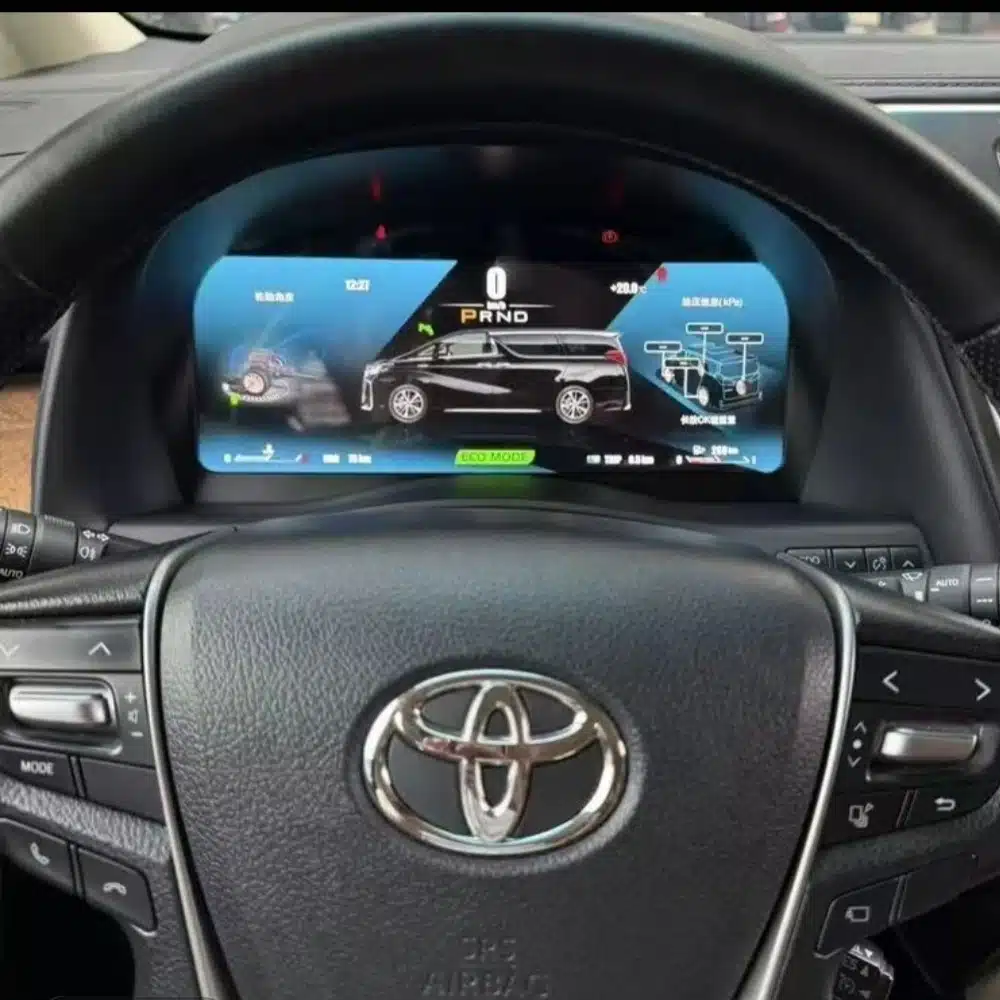

| Produkttyp | Full LCD digital instrument cluster |
|---|---|
| Primary Vehicle Application | Toyota Alphard 20 Series / AH20, subject to dashboard and connector confirmation |
| General Model Period | Approximately 2008–2015 second-generation dashboard; registration years may vary by market |
| Bildschirmgröße | 12,3 Zoll |
| Auflösung | 1920 × 720 |
| Display Construction | OGS IPS |
| Betrachtungswinkel | Up to 178° reference |
| Betriebssystem | Dedicated Linux instrument system |
| Processing Platform | Four-core platform |
| Anzeigethemen | Multiple themes and layouts; exact set depends on the prepared version |
| Driving Information | Speed, RPM, gear, fuel, temperature, mileage, trip and supported consumption data |
| Vehicle Status | Supported warning indicators and vehicle-status information |
| Einheiten | MPH or KM/H preparation/configuration subject to vehicle version |
| Sprache | Multilingual interface; confirm the required language before shipment |
| Steering-Wheel Interaction | Supported original instrument-control buttons where equipped |
| Wiring | Matched plug-in wiring arrangement prepared for the confirmed vehicle version |
| SKU | FD-132 |
| Listed Product Weight | 6 kg |
| Angegebene Verpackungsmaße | 48 × 38 × 28 cm |
The current purchase area uses one ordering route. The physical cluster and connection arrangement are prepared according to the vehicle information you provide rather than by inventing unsupported online variations.
| Option | Was es gut kann | Was zu beachten ist |
|---|---|---|
| Das Original-Kombiinstrument reparieren | Restores the original display and factory appearance. | It does not provide the wider digital interface or selectable modern layouts. |
| Used original cluster | Maintains the original Toyota design. | Version, mileage, coding, age and previous vehicle data may need attention. |
| Small MPH converter or HUD | A simpler solution when the only goal is seeing MPH. | It remains an additional display and does not modernize the complete instrument area. |
| Modul nur für CarPlay | Adds phone navigation, music and calling to the entertainment system. | It does not replace the driver’s instrument cluster. |
| iKAGOO Digital-Kombiinstrument | Upgrades the complete driver display with a wide LCD layout and supported original vehicle information. | Correct generation selection and professional installation are required. |
Based on the product hardware shown on this page, the order is centered on the complete instrument-cluster assembly and the applicable connection hardware. Exact package contents are confirmed for the vehicle version prepared for shipment.
The complete screen and housing assembly prepared for the confirmed dashboard version.
Applicable power, data and vehicle-interface connections selected for the confirmed configuration.
Version, regional display requirements and provided vehicle details are checked before shipment.
Use an installer experienced with instrument clusters, vehicle data systems and interior trim. Record the original mileage and photograph all original settings before removing the factory cluster.
Compare the vehicle, original dashboard, cluster shape, steering position and connectors with the order information.
Photograph the current odometer, warning-light state, units and original instrument operation before disassembly.
Protect the dashboard and trim, disconnect the vehicle battery as appropriate and remove the original assembly carefully.
Do not connect by force. Confirm that connector shape, pin arrangement, interface labels and wiring match the prepared instructions.
Install the matched wiring, power the cluster and apply the applicable vehicle, language and unit settings.
Check speed, RPM, gear, fuel, temperature, mileage, steering controls and warning indicators before refitting all trim.
Switch the vehicle off, confirm normal cluster shutdown and verify that the vehicle enters its normal sleep state.
Refit all trim only after the display, data, warnings, controls and power behavior have been checked successfully.
Pausing at this stage protects the vehicle and the product. Send clear connector photos and a short video to iKAGOO so the correct connection guidance can be provided.
iKAGOO checks the supplied model, year, dashboard, instrument and regional information before shipment.
Orders are shipped with tracking. Processing begins after payment and the required vehicle information are received.
Eligible hardware faults are handled under the current iKAGOO warranty terms from the confirmed delivery date.
Connection, configuration and troubleshooting support is available when the installer provides clear photos and test information.
iKAGOO assists with reasonable setup and function checks according to the confirmed vehicle configuration.
If iKAGOO confirmed compatibility from accurate information and no reasonable installation solution is available after troubleshooting, the current refund policy applies.
This page is intended for the Alphard 20 Series dashboard. Registration years can overlap with later models, so iKAGOO checks your current cluster photo, dashboard, steering position, drivetrain and connector configuration before shipment.
Provide the model, registration year, clear front photo of the original cluster, wide dashboard photo, LHD/RHD, petrol or hybrid configuration, required MPH/KM/H, language and a photo of the current odometer.
It is a complete full-LCD instrument-cluster replacement. It is not an Android head unit, car radio or CarPlay-only module.
MPH or KM/H requirements can be checked during order preparation. Tell iKAGOO which unit you need and provide your vehicle’s market specification.
Photograph and record the original odometer before removing the factory cluster. Mileage handling can depend on the vehicle and cluster version, so confirm the required process with iKAGOO and your installer before installation. The owner and installer remain responsible for complying with local mileage-disclosure laws.
Supported original steering-wheel instrument controls continue to work through the prepared vehicle interface where the vehicle is equipped with those controls.
Supported warning indicators and vehicle-status information continue to be displayed after correct connection and configuration. The installer should test every warning state before completing the dashboard reassembly.
Applicable hybrid-energy and four-wheel-drive information can be displayed when the original vehicle provides the required data and the correct version is prepared. Include the drivetrain information with your order.
The matched harness is designed to connect without intentionally cutting the supported factory main wiring. Stop installation and contact iKAGOO if cutting or forcing an incompatible connector appears necessary.
Professional installation is recommended. The work involves instrument removal, trim protection, connector verification, data testing, mileage handling and vehicle sleep testing.
The product supports multiple themes and layouts. Media from different prepared versions shows different theme counts, so the exact theme set is confirmed according to the software version supplied with your order.
The standard product described here is a dedicated Linux instrument cluster, not a general Android entertainment device. Any navigation, media or phone-projection display shown in reference media depends on the specific external source and prepared interface and should be confirmed before ordering.
The package is centered on the LCD instrument-cluster assembly and the applicable connection hardware prepared for the confirmed vehicle version. Exact supplied items are confirmed with the order.
The product is covered by the current iKAGOO 12-month hardware warranty from the confirmed delivery date. Eligibility, return shipping, repair and replacement handling follow the current published warranty policy.
Provide accurate vehicle information before purchase and cooperate with installation troubleshooting. If iKAGOO confirmed compatibility from accurate information and no reasonable installation solution remains after troubleshooting, the case is handled under the current iKAGOO refund policy. Incorrect information, undisclosed modifications and vehicle-specific limitations are not promoted as unconditional return-and-refund cases.
Choose the current purchase option, provide your vehicle and dashboard information, and let iKAGOO prepare the applicable cluster, display configuration and connection arrangement for your order.
Du musst logged in sein, um eine Bewertung abzugeben.

Übersichtliche Informationen zur Auftragsabwicklung, zum internationalen Versand, zu fahrzeugspezifischen Produkten, zur Garantieleistung, zu Rücksendungen und zu beschädigten Sendungen.
Diese Antworten bieten eine praktische Zusammenfassung. Die unten verlinkten vollständigen Richtlinien gelten für alle Bestellungen.
Die meisten iKAGOO-Bestellungen werden von unserem Fulfillment-Standort in China versandt, nachdem die Produktkonfiguration und die Fahrzeugdaten überprüft wurden. Die normale Auftragsabwicklung dauert etwa 1-3 Arbeitstage.
Die voraussichtlichen Lieferzeiten nach Versand betragen:
Die voraussichtlichen Lieferzeiten können durch Zollabfertigung, lokale Feiertage, Lieferungen in abgelegene Gebiete, Wetterbedingungen oder Verzögerungen seitens des Transportunternehmens beeinflusst werden.
Im regulären internationalen Versand sind in der Regel die im Zielland anfallende Mehrwertsteuer, Einfuhrzölle, Maklergebühren oder Zollabfertigungsgebühren nicht enthalten.
Für berechtigte Reiseziele in der Europäischen Union gibt es eine optionale DDP-Versandservice können anfallen. Einfuhrgebühren sind nur dann enthalten, wenn an der Kasse die Option „DDP“ ausgewählt oder von iKAGOO vor dem Versand schriftlich bestätigt wurde.
Wenn DDP nicht ausgewählt ist, trägt der Empfänger die Kosten, die von den örtlichen Zollbehörden oder dem Zustelldienst erhoben werden.
Für ausgewählte Produkte und Ziele ist möglicherweise ein Express- oder Eilversand verfügbar. Die Verfügbarkeit, der Versanddienstleister und etwaige Zusatzkosten werden vor dem Versand bestätigt.
Je nach Bestimmungsort und Produktart kann iKAGOO Versanddienstleister wie DHL, FedEx, UPS, EMS, 4PX oder einen anderen Logistikdienstleister mit Sendungsverfolgung einsetzen.
Nachdem die Bestellung versandt wurde, wird die Sendungsverfolgungsnummer oder der Link zur Sendungsverfolgung in der Regel an die bei der Bestellung angegebene E-Mail-Adresse gesendet.
Es kann mehrere Werktage dauern, bis Aktualisierungen der Sendungsverfolgung angezeigt werden, während ein Paket zwischen internationalen und lokalen Transportunternehmen weitergeleitet wird.
Ob eine Rückgabe möglich ist, hängt vom Grund für die Rückgabe, dem Zustand des Produkts, dem Installationsstatus, den vorgelegten Nachweisen und davon ab, ob die Rückgabe von iKAGOO genehmigt wurde.
Bei einer Rücksendung von mangelfreien Artikeln muss das Produkt in der Regel unbenutzt, nicht installiert, vollständig und für den Wiederverkauf geeignet sein. Der Kunde trägt grundsätzlich die Kosten für die genehmigte Rücksendung.
Die ursprünglichen Versandkosten, DDP-Gebühren, Mehrwertsteuer, Zölle und sonstige Logistikkosten werden grundsätzlich nicht erstattet, es sei denn, dies ist gesetzlich vorgeschrieben oder wird von iKAGOO anderweitig bestätigt.
Senden Sie ein Produkt nicht zurück, ohne zuvor eine genehmigte Rücksendeadresse und Rücksendeanweisungen von iKAGOO erhalten zu haben.
Ein zusätzlicher Schutz kann gelten, wenn iKAGOO die Kompatibilität vor dem Kauf bestätigt hat, der Kunde korrekte Fahrzeugdaten angegeben hat und der Kunde bei angemessenen Einbau- und Diagnoseschritten mitgewirkt hat.
Falls iKAGOO bestätigt, dass keine angemessene technische Lösung verfügbar ist, und das Problem innerhalb von 7 Kalendertage nach Lieferung, hat der Kunde möglicherweise Anspruch auf eine Rückerstattung des Produktpreises, ohne dass er das Produkt zurückgeben muss.
Die ursprünglichen Versandkosten, DDP, Mehrwertsteuer, Zölle und sonstige Gebühren Dritter sind in dieser Rückerstattung des Produktpreises nicht enthalten.
Zu den teilnahmeberechtigten iKAGOO-Produkten gehören unter anderem 12 Monate beschränkte Hardware-Garantie die sich auf nachgewiesene Herstellungsfehler und berechtigte Hardwareausfälle bei normaler Nutzung bezieht.
Je nach Problem kann die Lösung eine Ferndiagnose, Unterstützung bei der Konfiguration, Ersatzteile, eine Reparatur, einen Produktersatz, eine teilweise Rückerstattung oder eine vollständige Rückerstattung umfassen.
Die Garantie deckt in der Regel keine Schäden ab, die durch falsche Verkabelung, unbefugte Änderungen, versehentliche Beschädigungen, Eindringen von Wasser, Stöße, unsachgemäßen Gebrauch, falsche Spannung, Installationsfehler oder inkompatible Geräte von Drittanbietern verursacht wurden.
Eine Inspektion oder Überprüfung durch Dritte führt nicht automatisch zum Erlöschen der gesamten Garantie. Schäden, die durch nicht autorisierte Reparaturen, den Austausch von Bauteilen, unsachgemäße Änderungen, unterbrochene Stromkreise oder eine unsachgemäße Wiederzusammenbau verursacht wurden, sind jedoch von der Garantie ausgeschlossen.
Wenden Sie sich vor dem Zerlegen oder der Reparatur des Produkts an iKAGOO, damit Ihnen die richtige Vorgehensweise zur Fehlerdiagnose mitgeteilt werden kann.
Wenden Sie sich innerhalb von an iKAGOO 7 Kalendertage nach Lieferung und bewahren Sie die Originalverpackung, das Versandetikett, das Zubehör und das Produkt auf.
Bitte reichen Sie aussagekräftige Fotos oder Videos ein, die Folgendes zeigen:
Nach der Überprüfung kann iKAGOO je nach Einzelfall eine Nachlieferung fehlender Teile, einen Umtausch, eine Reparatur, eine Rückerstattung oder eine andere angemessene Lösung veranlassen.
Wenden Sie sich vor der Installation oder Nutzung des Produkts an iKAGOO. Ein Umtausch oder eine Rückgabe kann genehmigt werden, sofern das Produkt unbenutzt, nicht installiert, vollständig und in einem wiederverkaufsfähigen Zustand ist.
Die Versandkosten sowie etwaige Preisunterschiede gehen in der Regel zu Lasten des Kunden, wenn das falsche Produkt, Fahrzeugmodell, Baujahr oder die falsche Werkskonfiguration ausgewählt wurde.
Ein kostenloses Prepaid-Rücksendeetikett wird nicht automatisch bereitgestellt.
Wenden Sie sich so schnell wie möglich an iKAGOO, am besten innerhalb von 12 Stunden nach der Bestellung, wenn Sie eine Adresse, eine Fahrzeugkonfiguration oder eine Produktänderung anfordern.
Eine Änderung oder Stornierung wird erst nach Bestätigung durch iKAGOO wirksam. Fahrzeugspezifische Produkte können kurz nach Zahlungseingang in die Beschaffung, Programmierung, Prüfung, Konfiguration oder kundenspezifische Vorbereitung übergehen.
Sobald mit der Vorbereitung oder dem Versand begonnen wurde, ist eine Stornierung möglicherweise nicht mehr möglich, oder es können bereits entstandene angemessene Kosten in Abzug gebracht werden.
Der Lieferumfang variiert je nach Produkt, Fahrzeugmodell, Werksausstattung und gewählter Konfiguration.
Je nach Produkt kann der Lieferumfang das Hauptgerät, fahrzeugspezifische Kabelbäume, eine CAN-Bus-Schnittstelle, Adapter, USB-Kabel, Antennen, Mikrofone, Befestigungsmaterial und weiteres Installationszubehör umfassen.
Die genauen Lieferumfangskomponenten entnehmen Sie bitte der entsprechenden Produktseite, den Verpackungsfotos und der Bestellbestätigung.
Sie können iKAGOO über das Kontaktformular, per E-Mail, über WhatsApp oder über die verfügbaren Supportkanäle auf der Website kontaktieren. Die übliche Antwortzeit beträgt 24 Geschäftsstunden.
Um einen schnelleren technischen Support zu erhalten, geben Sie bitte Ihre Bestellnummer, das Fahrzeugmodell und das Baujahr, Fotos des Werkssystems, Produktfotos sowie ein aussagekräftiges Video an, in dem das Problem deutlich zu sehen ist.
Besuchen Sie: iKAGOO – Kontakt und Support
Die Zahlungen werden über die sicheren Zahlungsmethoden abgewickelt, die während des Bezahlvorgangs angezeigt werden. Die verfügbaren Kreditkarten-, E-Wallet- und Ratenzahlungsoptionen können je nach Land, Währung, Zahlungsanbieter und Berechtigung des Kunden variieren.
Jeder Ratenzahlungsdienst, einschließlich der von PayPal oder einem anderen Anbieter angebotenen Optionen, unterliegt den regionalen Verfügbarkeits- und Genehmigungsbestimmungen des jeweiligen Anbieters.
Lesen Sie sich vor der Bestellung die vollständigen Geschäftsbedingungen durch, insbesondere in Bezug auf fahrzeugspezifische Produkte, internationale Steuerregelungen und Rückgaben im Zusammenhang mit dem Einbau.
Diese FAQ sind ein vereinfachter Leitfaden für Kunden. Bei Abweichungen im Wortlaut haben die vollständigen, veröffentlichten Richtlinien, die Bestellbestätigung und das geltende Verbraucherrecht Vorrang.
$995.00 Ursprünglicher Preis war: $995.00$785.00Aktueller Preis ist: $785.00.
Wählen Sie aus, was Sie kaufen möchten. Wir zeigen nur die Details, die für dieses Produkt benötigt werden.
Wir werden die Details prüfen und Ihnen die empfohlene Produktversion an Ihre E-Mail.
Wir verwenden essenzielle Cookies, um die Website sicher und ordnungsgemäß funktionieren zu lassen. Mit Ihrer Einwilligung können wir auch Analyse-Cookies verwenden, um das Surferlebnis zu verbessern. Siehe unsere Datenschutzbestimmungen.


Bewertungen
Es gibt noch keine Bewertungen.