XStore-Thema

No products in the cart.

Bis zu 22%
  • Audi Q7 Android Hauptgerät 2006-2015
  • 03 6
  • 10 1
  • 09 1
  • 02 5
  • 06 3

Audi Q7 Android-Headunit 2006–2015, 10,25 Zoll, CarPlay

Marke:

From: $325.00

Duty-Free Nur EU und USA
Einzelheiten
Sicher durch PayPal
DDP Tax-Prepaid Service

Wir kümmern uns um die Mehrwertsteuer und die Zölle. Geschätzte Ersparnis: $120-$280.

USA (48 Staaten)ÖsterreichBelgienBulgarienKroatienZypernTschechische RepublikDänemarkEstlandFinnlandFrankreichDeutschlandGriechenlandUngarnIrlandItalienLettlandLitauenLuxemburgMaltaNiederlandePolenPortugalRumänienSlowakeiSlowenienSpanienSchweden
oder

Haben Sie noch Fragen?

Sie können Kontakt aufnehmen

Sicher bezahlen mit Paypal Sicher bezahlen mit Visa Sicher bezahlen mit Master Card Sicher bezahlen mit JCB Sicher bezahlen mit American Express Sicher bezahlen mit Alipay Sicher bezahlen mit Google pay Sicher bezahlen mit Klarna Sicher bezahlen mit DISCOVER Sicher bezahlen mit Apple Pay
Garantiert sicheres Bezahlen Checkout
iKAGOO-Käuferschutz

Kaufschutz für dieses Produkt

Kompatibilitätsprüfung, sicherer Bezahlvorgang, Sendungsverfolgung und praktischer Kundendienst.

Die Anspruchsberechtigung, die Meldefristen und die Abhilfemaßnahmen richten sich nach den geltenden iKAGOO-Richtlinien und der Einzelfallprüfung.

Datenschutzrichtlinien anzeigen

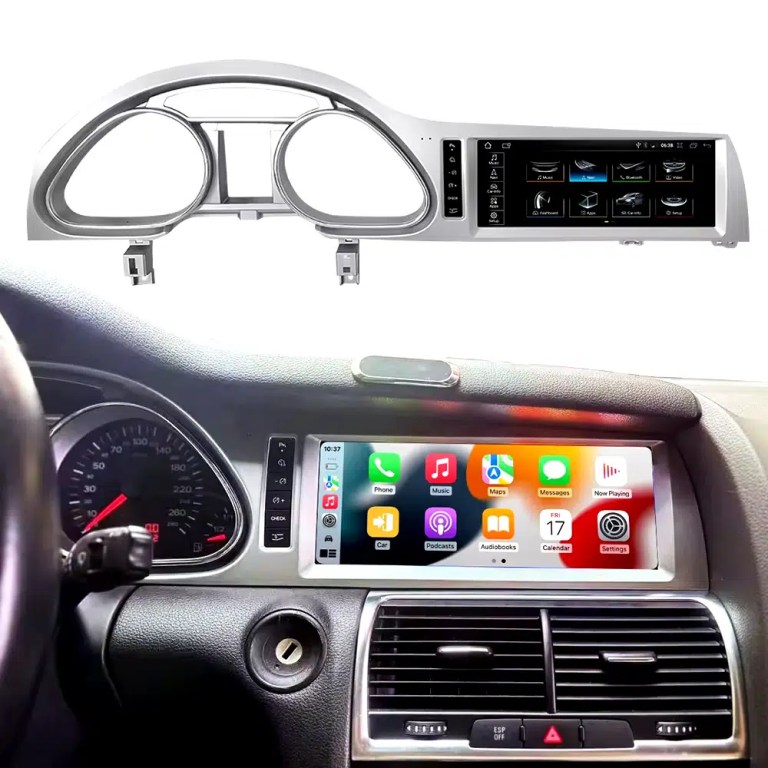
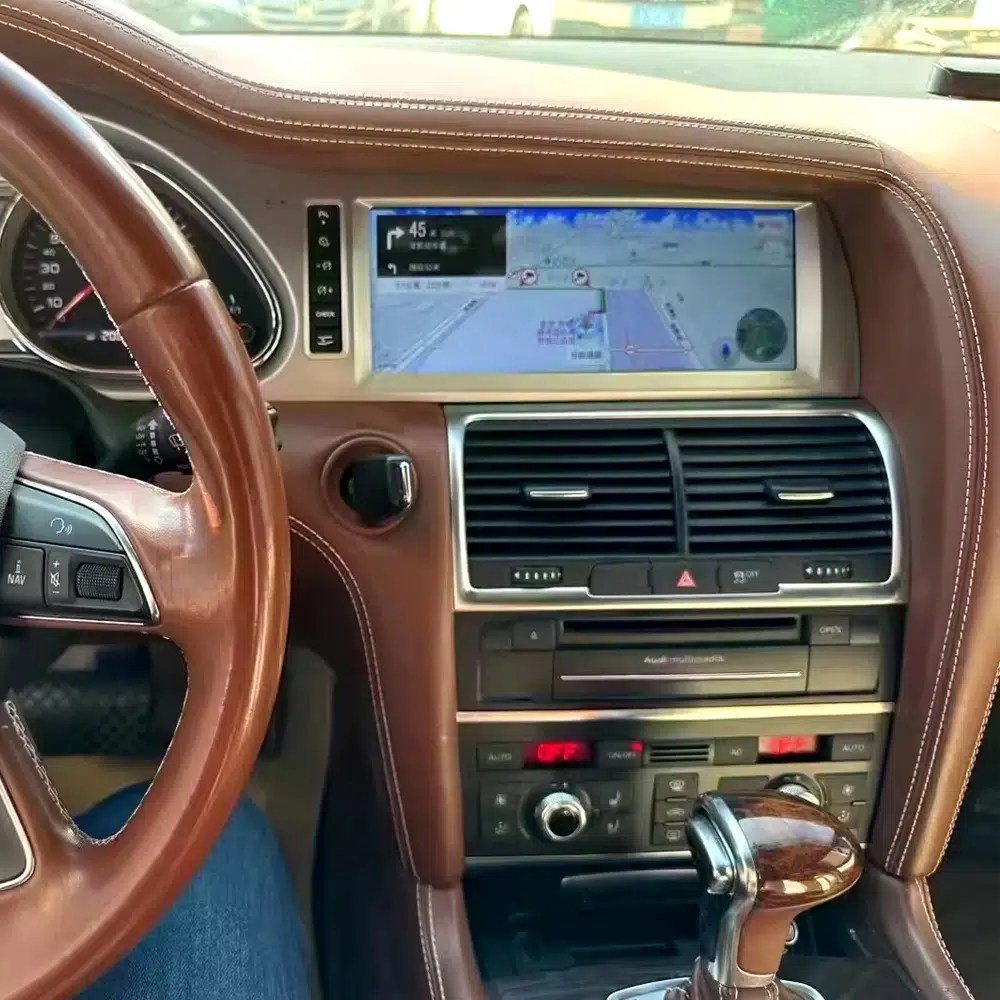
Installed Result First: Audi Q7 Android Head Unit That Still Looks Built Into the Dashboard

This is the first image buyers should see. It shows the actual Q7 cockpit result: the 10.25-inch Android screen, Audi dashboard trim, original gauge area and CarPlay-style interface working together instead of looking like a loose aftermarket tablet.

Audi Q7 Android head unit 2006 2015 installed dashboard CarPlay view

Check Dashboard, CD Panel, MMI and MOST Audio Before Ordering

The Audi Q7 Android head unit must be matched to the actual Q7 4L dashboard, not only the model year. Q7 vehicles can use different CD panels, MMI systems, Bose amplifiers, MOST fiber-optic audio routes and LHD/RHD frames.

Four Checks That Prevent the Wrong Order

  • Dashboard route: 2005–2009 and 2010–2015 Q7 layouts can differ.
  • CD / MMI panel: check card-slot layout, button layout and original control panel.
  • Audio system: Bose, external amplifier or MOST fiber optic may require a decoder.
  • Steering side: LHD and RHD frames must be confirmed before shipment.

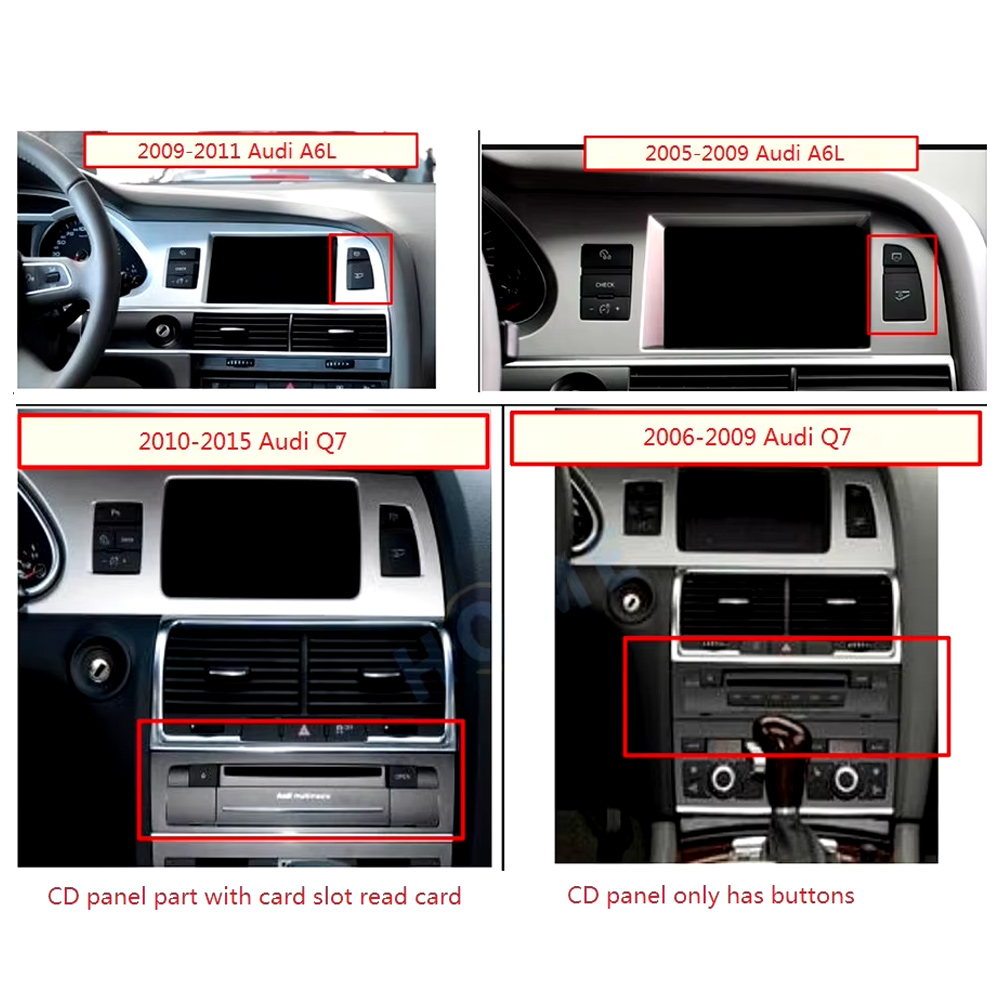
Use This Dashboard Reference Before You Buy

This image belongs near the top because it reduces wrong orders. The original dashboard and CD-panel layout decide the correct screen, frame and integration route.

Audi Q7 2005 2009 2010 2015 dashboard CD panel compatibility comparison
Audi Q7 4L · 2006–2015 · 10.25-inch Android upgrade
Audi Q7 Android Head Unit for CarPlay, Android Auto, MMI and DSP Upgrade

This iKAGOO Audi Q7 Android head unit upgrades selected Audi Q7 4L vehicles with a vehicle-specific 10.25-inch Android screen, wireless CarPlay, Android Auto, GPS navigation, WiFi / 4G, Bluetooth, DSP audio and supported original Audi system switching.

10.25-inch display Kabelloses CarPlay Android-Auto DSP audio WiFi / 4G MMI check

Choose this upgrade if your original Audi Q7 screen feels outdated but you still want the interior to look factory-style. iKAGOO checks your model year, dashboard frame, MMI system, LHD/RHD position, amplifier, MOST fiber optic requirement and connector photos before shipment.

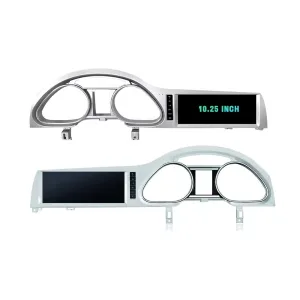
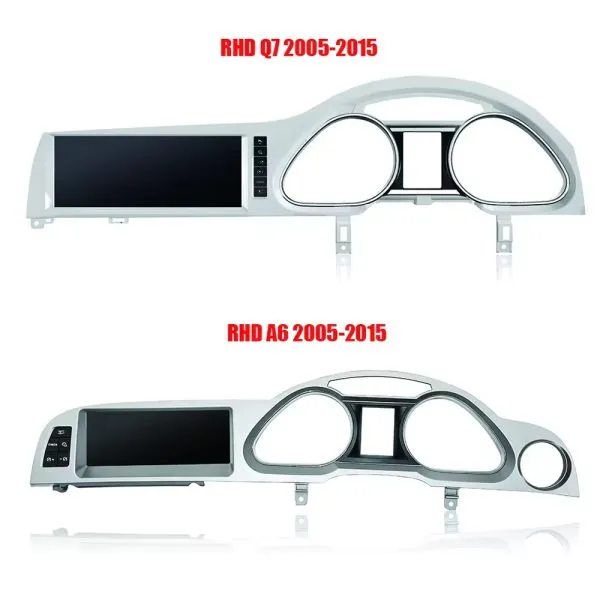
Confirm the 10.25-Inch Q7 Frame Shape

The product frame view helps you compare the left-hand and right-hand display routes before your installer removes the original dashboard parts.

Audi Q7 Android head unit 10.25 inch LHD RHD frame product view

Schnelle Antwort

This iKAGOO upgrade is a vehicle-specific Audi Q7 Android head unit for selected Audi Q7 4L vehicles in the 2006–2015 range. It upgrades the original screen area with a 10.25-inch Android display route and adds wireless CarPlay, Android Auto, GPS navigation, Bluetooth, WiFi / 4G, DSP audio and app support where the selected hardware version supports these functions. It is not a universal Audi screen. The correct version depends on the dashboard frame, CD / MMI panel, LHD/RHD layout, original amplifier, MOST fiber-optic route, camera system and connector layout. Some 2010–2015 vehicles may need a fiber-optic decoder, especially when Bose or an external amplifier is used.

Why This Audi Q7 Android Head Unit Makes Sense

Modern Screen Without Ruining the Q7 Interior

The 10.25-inch display gives the first-generation Q7 a newer cockpit feel while staying inside the original dashboard structure.

Kabelloses CarPlay und Android Auto

Use phone maps, calls, music, messages and voice assistant functions through a larger in-dash screen instead of relying only on the old MMI display.

MMI, Audio and Camera Matching

Q7 upgrades fail when audio, MMI or camera routes are guessed. This page puts Bose, MOST, MMI and decoder checks at the front.

Original Audi Functions Supported

Original System Retention

  • Supported original Audi menu access can be retained through the matched integration route.
  • Original steering-wheel controls can work through the matched CAN decoder where the vehicle configuration supports them.
  • Original parking information and original rear camera may be retained when the correct video interface or decoder is prepared.
  • Original speaker and amplifier output depends on the verified audio system and adapter requirement.

Android Daily-Use Functions

  • Wireless Apple CarPlay and Android Auto support phone maps, calls, music and supported app interfaces.
  • WiFi and optional 4G support online maps, app downloads and network-based functions where local service allows it.
  • Bluetooth, music, video, maps, messaging and phone-call functions are available on supported configurations.
  • DSP and equalizer functions are available where the selected motherboard and hardware version support them.

Confirm Your Audi Q7 4L Version Before We Prepare the Head Unit

Audi Q7 4L vehicles can use different dashboard frames, MMI panels, CD layouts, Bose amplifiers, MOST fiber-optic audio routes, camera systems and LHD/RHD interiors. iKAGOO checks your photos before shipment so the correct Audi Q7 Android head unit, frame, harness and decoder route can be prepared.

Passgenauigkeit

Audi Q7 4L 2006–2015

Made for selected Audi Q7 4L vehicles. Some 2005–2009 and 2010–2015 dashboard routes must be checked by photo before shipment.

MMI Panel

MMI / CD Panel Must Match

The original CD panel, card-slot layout and MMI control area decide the correct screen frame and system-switching route.

Audio Risk

Bose / MOST Fiber Optic Check

This is the key Q7 risk. Bose, external amplifier or MOST fiber optic may require a decoder to keep original speaker output working.

Layout

LHD / RHD + Camera Route

Left-hand-drive, right-hand-drive, original rear camera and 360 camera routes must be confirmed before the order is prepared.

Before shipment, send us: dashboard photo · original screen photo · CD/MMI panel photo · amplifier/Bose information · LHD/RHD · camera details

Help iKAGOO Prepare the Correct Version Before Shipment

Vehicle Information Needed

  • Exact vehicle year and market region.
  • Left-hand drive or right-hand drive.
  • Original dashboard and screen photo.
  • Original CD / MMI control-panel photo.
  • Factory amplifier information: Bose, external amplifier or standard audio.
  • Photo of original connectors if requested.
  • Whether the vehicle has MOST fiber optic, original rear camera or 360 camera.
  • Preferred hardware version: 2+32GB, 4+64GB or 8+256GB.

Why These Details Matter

These details help iKAGOO prepare the correct screen frame, Android unit, wiring harness, CAN decoder, audio adapter, fiber-optic decoder and camera route. They also reduce the risk of no sound, no original menu, wrong frame, wrong LHD/RHD layout or unsupported camera input after installation.

Bose, MOST Fiber Optic and Audio Decoder Warning

This is the most important technical risk on many Audi Q7 4L Android upgrades. If the car uses an external amplifier and MOST fiber-optic audio network, the screen may power on but the speakers may have no sound unless the correct decoder route is prepared.

When a Decoder May Be Needed

  • The vehicle uses Bose or an external factory amplifier.
  • An orange fiber-optic cable is present in the original audio system.
  • The original amplifier communicates through the MOST network.
  • The Android screen operates but the original speakers have no sound.
  • The compatibility review confirms a fiber-optic audio route.

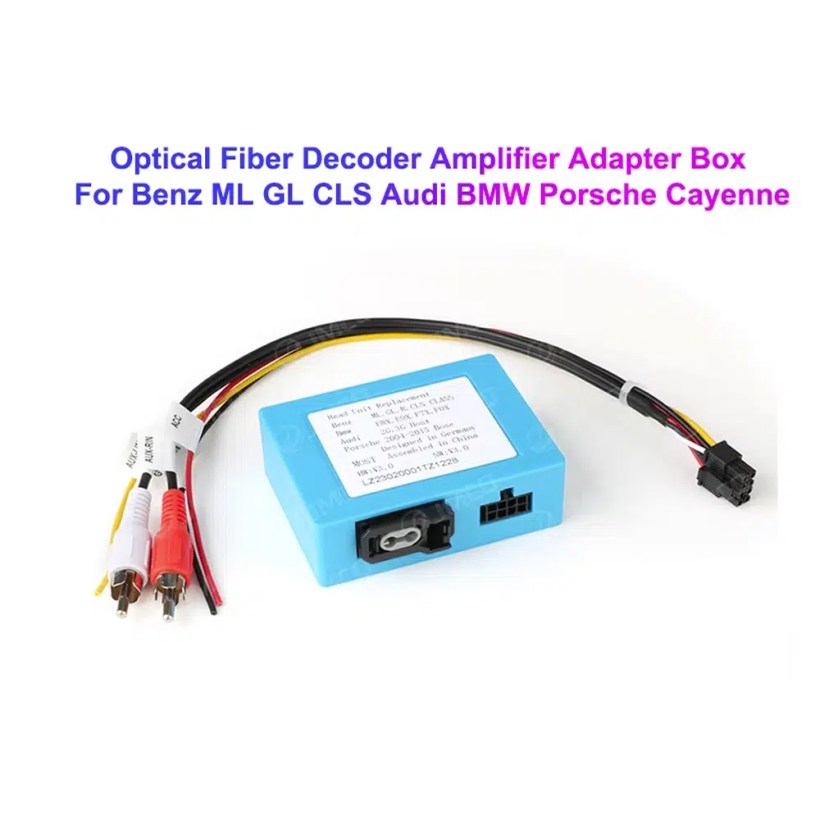
Decoder Example

This image shows the type of fiber-optic decoder commonly used in luxury vehicle audio integration. The required decoder must match the original Audi audio system and connector route.

Audi Q7 MOST optical fiber decoder amplifier adapter box

Key Product Specifications

ProdukttypAudi Q7 Android head unit / Android stereo / Android screen upgrade.
HauptmontageAudi Q7 4L 2006–2015, subject to dashboard and system verification.
Bildschirmgröße10.25 inch vehicle-specific display.
SystemAndroid platform. Current page contains Android 13 attribute data and Android 16 description text, so final OS should follow the confirmed selected version.
MotherboardTSK / TSK8259 / TSK8667 according to selected hardware version.
Speicheroptionen2GB+32GB / 4GB+64GB / 8GB+256GB routes shown in current variation.
CPU8-core CPU route according to selected motherboard.
Smartphone integrationWireless Apple CarPlay and Android Auto on supported firmware and compatible phones.
NavigationGPS / Glonass navigation support with compatible online or offline map apps.
BluetoothBT 4.0 / BT 5.0 according to selected hardware route.
NetzwerkWiFi / optional 4G support where selected hardware and local network conditions allow it.
AudioDSP and equalizer functions where selected hardware supports them.
KameraRear camera AHD / CVBS and 360 camera routes require version and vehicle confirmation.
Package dataListed weight 3.5 kg; listed dimensions 85 × 35 × 25 cm.

Hardware Platform and Configuration Difference

G5 / TSK8259 Direction

Usually used for the basic hardware route. Current page information lists Android platform data, 8-core CPU route, Bluetooth 4.x direction and supported CarPlay / Android Auto depending on firmware and selected version.

  • 2GB + 32GB route on current variation.
  • Wireless CarPlay / Android Auto on supported firmware.
  • WiFi and optional compatible 4G where hardware supports it.
  • Camera and CAN integration must still match the vehicle.

G6 / TSK8667 Direction

Used for stronger hardware routes such as 4GB + 64GB and 8GB + 256GB options. Suitable for buyers who want smoother Android operation, better storage and stronger daily-use performance.

  • 4GB + 64GB or 8GB + 256GB route.
  • Bluetooth 5.0 direction where selected hardware supports it.
  • DSP support depends on selected hardware.
  • Recommended for long-term ownership and heavier app use.

The product title, variation name, checkout option and delivered hardware should use the same memory and motherboard specification. Do not combine specifications from different hardware versions.

Choose the Right Hardware Version

Grundlegend

2GB + 32GB

Suitable for basic CarPlay, Android Auto, Bluetooth and navigation use. Choose this only if your expectations are simple and you do not plan heavy app use.

  • Basic app use
  • Lower cost route
  • Best for light daily use
Balanced

4GB + 64GB

A more balanced route for buyers who want better app switching, navigation and daily media use without jumping to the top version.

  • Better memory balance
  • Good daily usability
  • Recommended over basic version
Empfohlen

8GB + 256GB

Recommended for buyers who want the strongest current option shown on the page, larger storage and better long-term Android usability.

  • Highest listed storage route
  • Better for multitasking
  • Best long-term choice
  • Confirm motherboard before shipment

iKAGOO Compatibility and Installation Process

STEP 01

Fahrzeugbewertung

Submit the year, dashboard photos, steering position and original audio-system details.

STEP 02

Konfigurationsabgleich

iKAGOO checks the frame, harness, CAN decoder, amplifier and fiber-optic requirements.

STEP 03

Pre-Shipment Setup

The Android unit and matching accessories are prepared for the confirmed vehicle configuration.

STEP 04

Unterstützung bei der Installation

Guidance is available for wiring, configuration and supported-function testing.

Why Owners Choose iKAGOO

Fahrzeugspezifische Vorbereitung

iKAGOO checks your Audi Q7 year, dashboard photos, MMI system, steering side and audio system before shipment so the correct version can be prepared.

MMI and Audio Matching

The correct CAN decoder, amplifier route and fiber-optic requirement matter more than buying a screen by size alone.

Original Function Integration

The upgrade is prepared to retain supported original menus, steering-wheel controls, original camera and vehicle information where the matched route allows it.

Schutz der werkseitigen Verkabelung

The matched harness route is designed to avoid unnecessary cutting of the original wiring when the vehicle and harness match.

Installation and Setup Support

If your installer needs help identifying the MMI type, fiber-optic route or function test result, iKAGOO can provide order-based support.

12-Month Hardware-Garantie

Eligible hardware issues are handled under the iKAGOO 12-month limited warranty, with after-sales support for diagnosis and suitable solutions.

iKAGOO Purchase Assessment for This Audi Q7 Android Head Unit

Upgrade-Wert

Notwendigkeit eines iKAGOO-Upgrades

89/100

Strong Upgrade Case. The first-generation Audi Q7 interior benefits clearly from a modern 10.25-inch Android screen, wireless smartphone integration, navigation and improved media usability.

  • Visible dashboard modernization
  • Kabelloses CarPlay und Android Auto
  • Navigation, apps and DSP value
Based on the iKAGOO Upgrade Necessity Standard
Factory Retention

Kompatibilität mit Originalfahrzeugen

84/100

Good compatibility route when the correct dashboard frame, MMI route, CAN decoder, amplifier adapter and fiber-optic requirement are verified before shipment.

A score of 84/100 does not mean that 16% of factory functions are lost. It means this product requires stricter checking because Audi Q7 4L audio and MMI configurations vary.

Based on the Factory Function Retention Standard
Install Level

Schwierigkeitsgrad der Installation

Stufe 3

Advanced DIY. Suitable for experienced DIY installers or an automotive electronics technician. Audi Q7 MMI, MOST fiber optic, amplifier and camera routes must be checked carefully before final reassembly.

Based on the Car Electronics Installation Difficulty Guide

Keep the Old MMI, Add a Box or Upgrade with iKAGOO?

Keep Original

Factory MMI Only

Best only if you are satisfied with the old screen size, old interface and limited smartphone integration.

  • No upgrade cost
  • Old interface remains
  • Limited app experience
Basic Add-On

Modul nur für CarPlay

Useful if you only need phone projection, but it does not give the Q7 a new Android display or modern interface layout.

  • Limited visual change
  • No full Android system
  • Depends on original screen condition
Generic Screen

Universal Android Screen

May be cheaper, but Audi Q7 dashboard frame, MMI, Bose, MOST fiber and camera integration can become the real risk.

  • Fitment uncertainty
  • May look aftermarket
  • Higher audio risk
Empfohlen

iKAGOO Audi Q7 Android Head Unit

Best for owners who want a vehicle-specific 10.25-inch screen, CarPlay, Android Auto, navigation, DSP and configuration review before shipment.

  • 10.25-inch Q7-specific frame
  • Wireless CP & AA
  • MMI system switching
  • Fiber-optic decoder check
  • Vehicle-specific preparation

Purchase Conclusion

If you want your Audi Q7 4L to feel modern without making the dashboard look cheap or creating MMI/audio problems, this iKAGOO Android head unit is the stronger route than a generic screen or a small add-on box.

Product Photos and What They Help You Decide

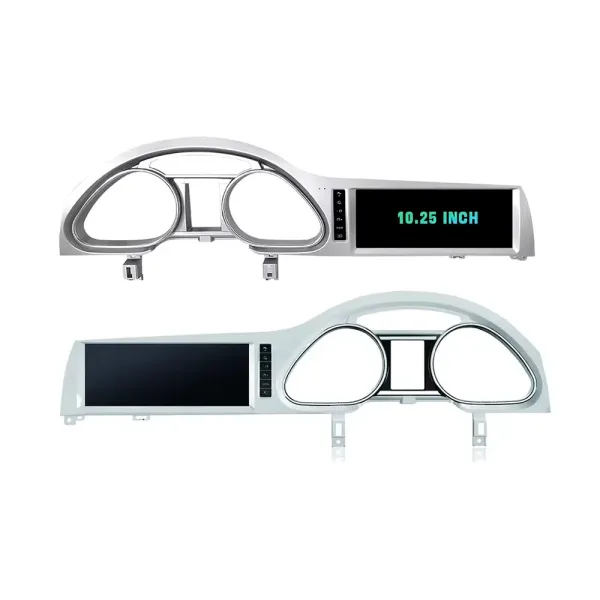
Confirm LHD and RHD Product Frame Routes

This image helps you understand that Q7 frame orientation matters. Do not order without confirming steering side and dashboard layout.

Audi Q7 Android head unit RHD and LHD frame route product comparison

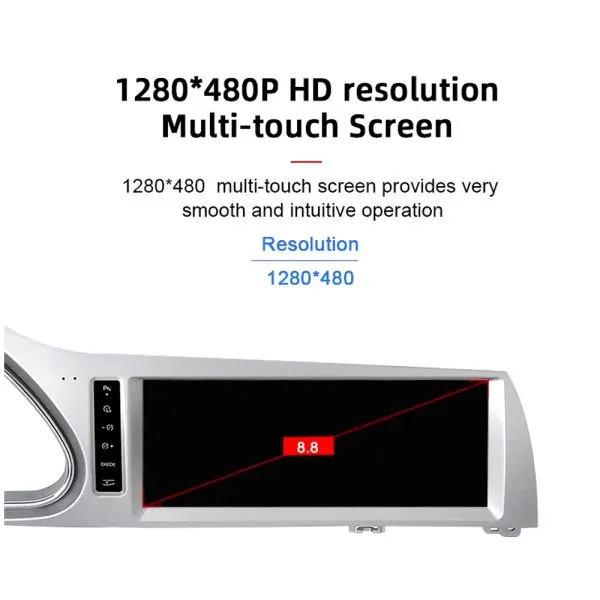
Understand the Screen Display Area

The screen reference explains the display route and reminds buyers that the confirmed order specification takes priority over general promotional images.

Audi Q7 Android head unit screen display area reference

See Navigation Working in a Real Audi Q7 Interior

This installed navigation view helps you judge the screen position, driver visibility and how the display looks inside a used Q7 cabin.

Audi Q7 Android navigation screen installed in vehicle dashboard

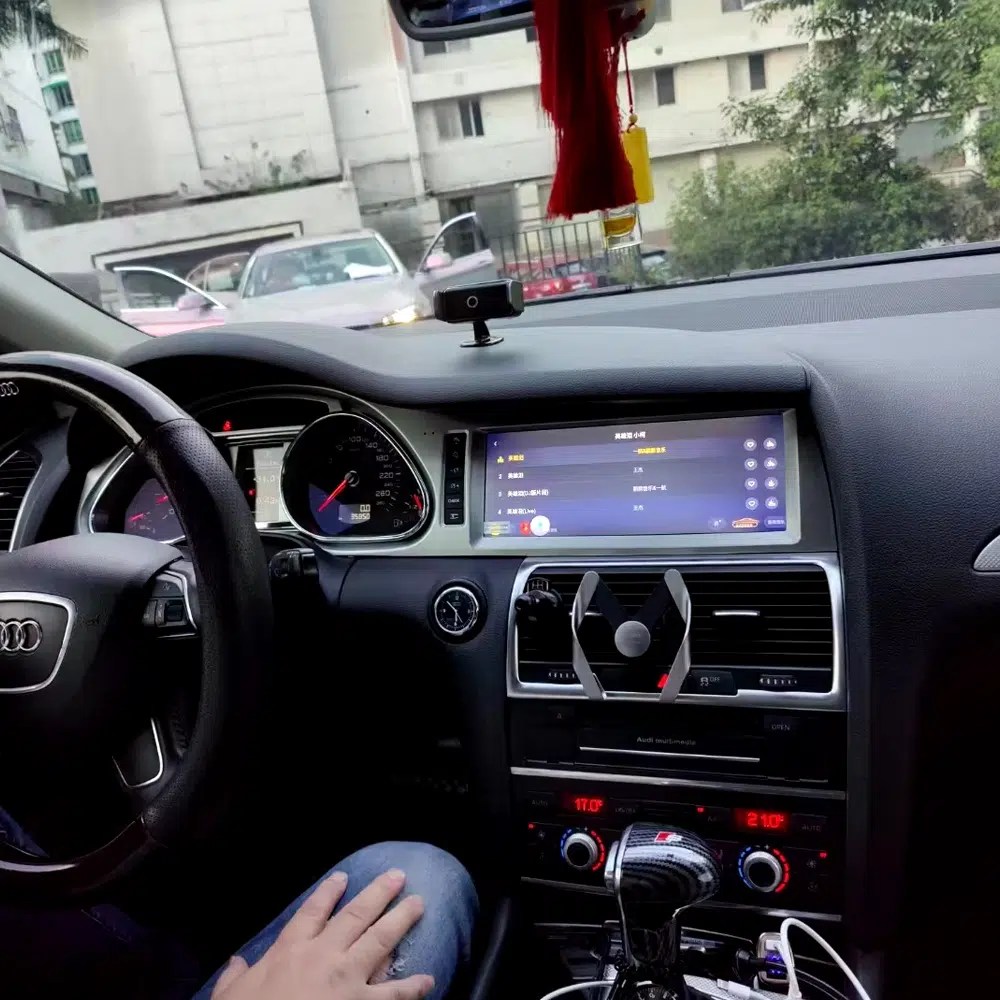
Review Another Real Installation Interface

This cabin photo gives another practical reference for screen angle, dashboard integration and menu readability after installation.

Audi Q7 Android head unit installed original dashboard interface view

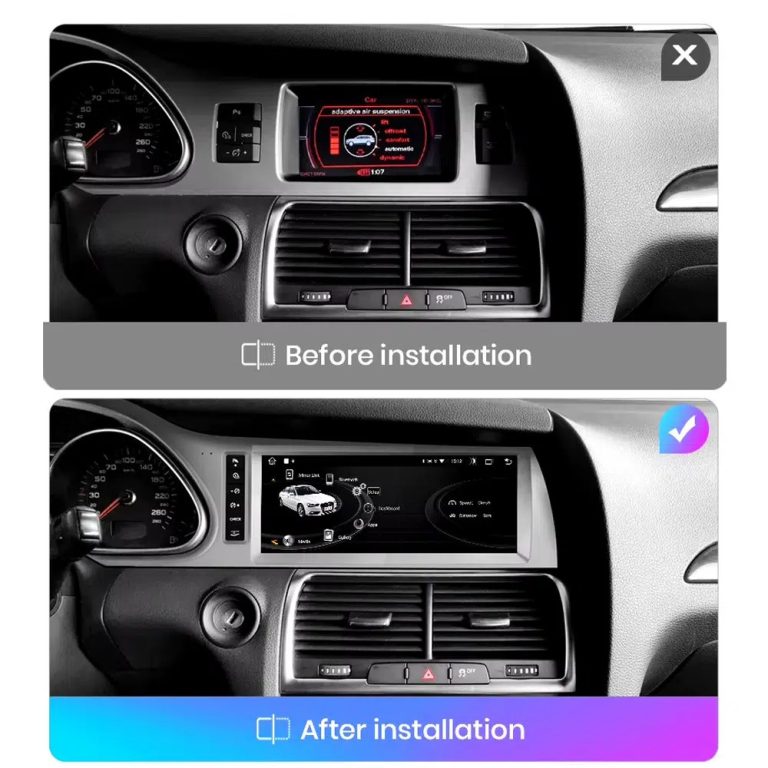
Compare the Old Screen Before and After the Upgrade

The before-and-after image shows the main visual upgrade: the old small screen area becomes a wider Android interface with a cleaner modern layout.

Audi Q7 original screen before and Android screen after installation comparison

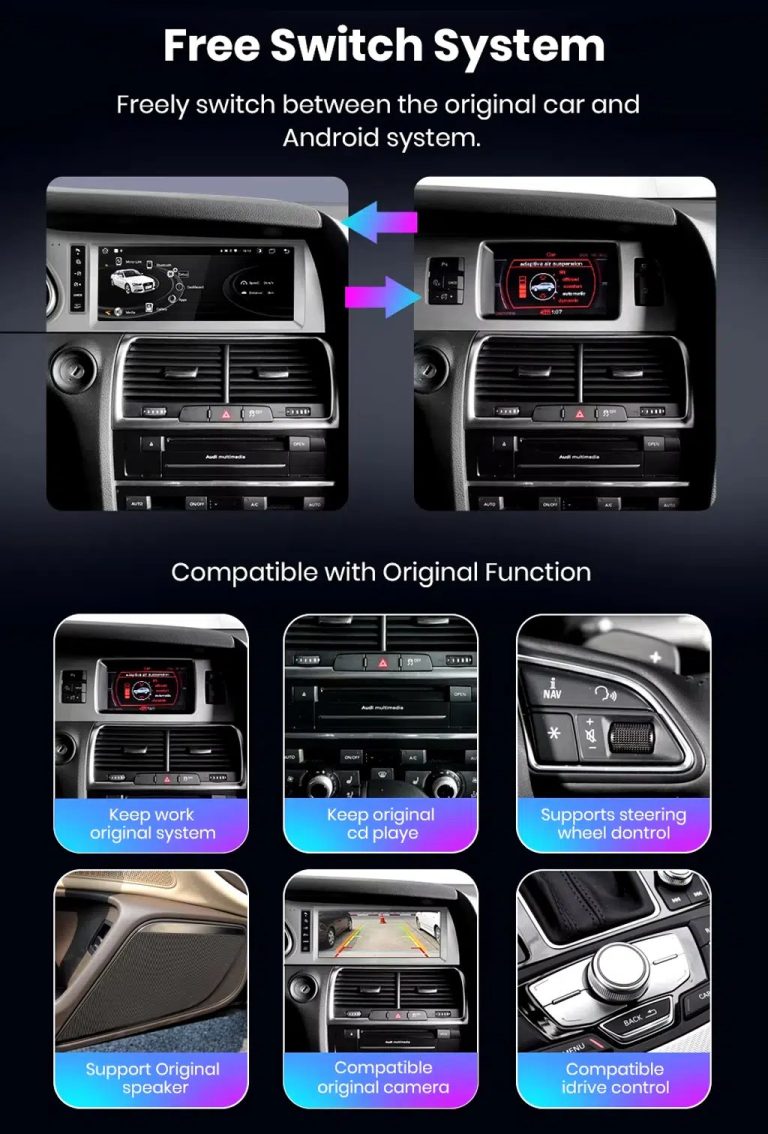
Switch Between Android and Original Audi System

Original-system switching is important for Q7 owners because it helps retain access to supported Audi menus while adding modern Android functions.

Audi Q7 Android system and original vehicle system switching functions

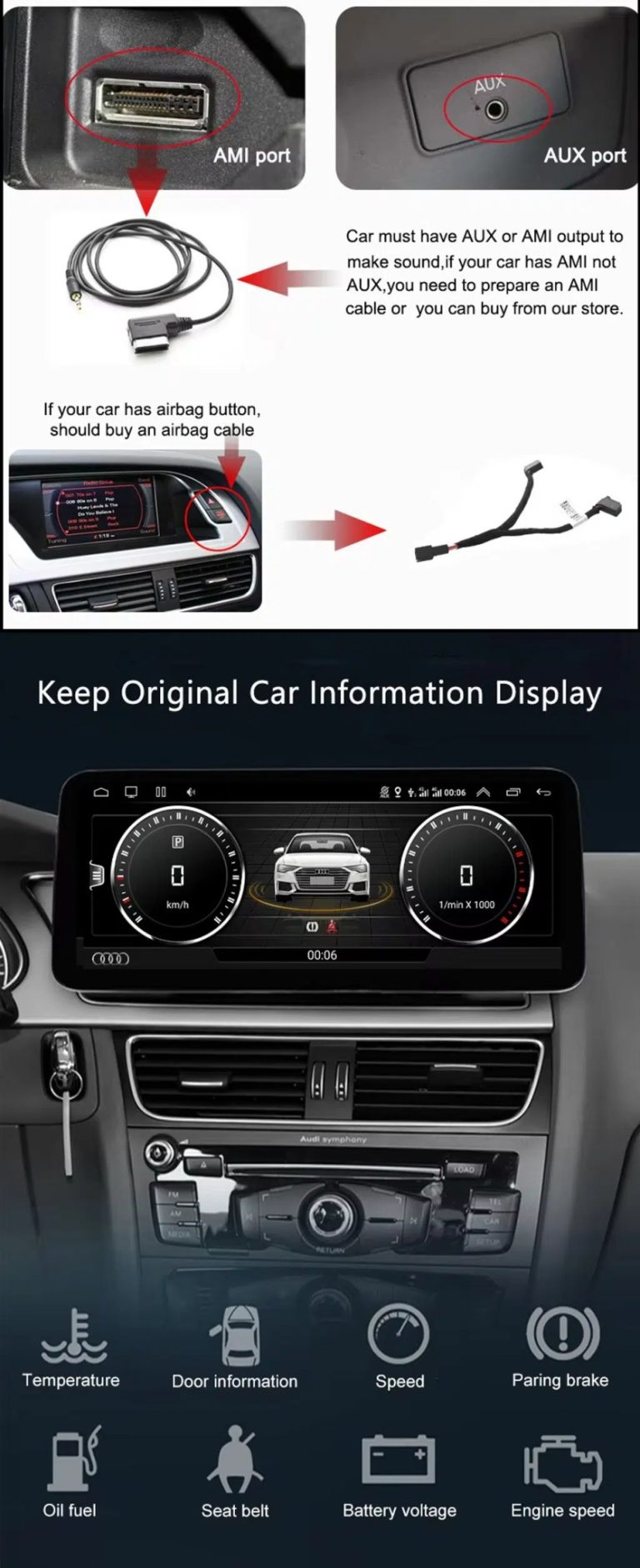
Check AUX, AMI and Original Vehicle Information

Some Audi Q7 configurations need the correct AUX, AMI or adapter route for sound and original data display. This should be checked before installation.

Audi Q7 Android head unit AUX AMI cable and original vehicle information display

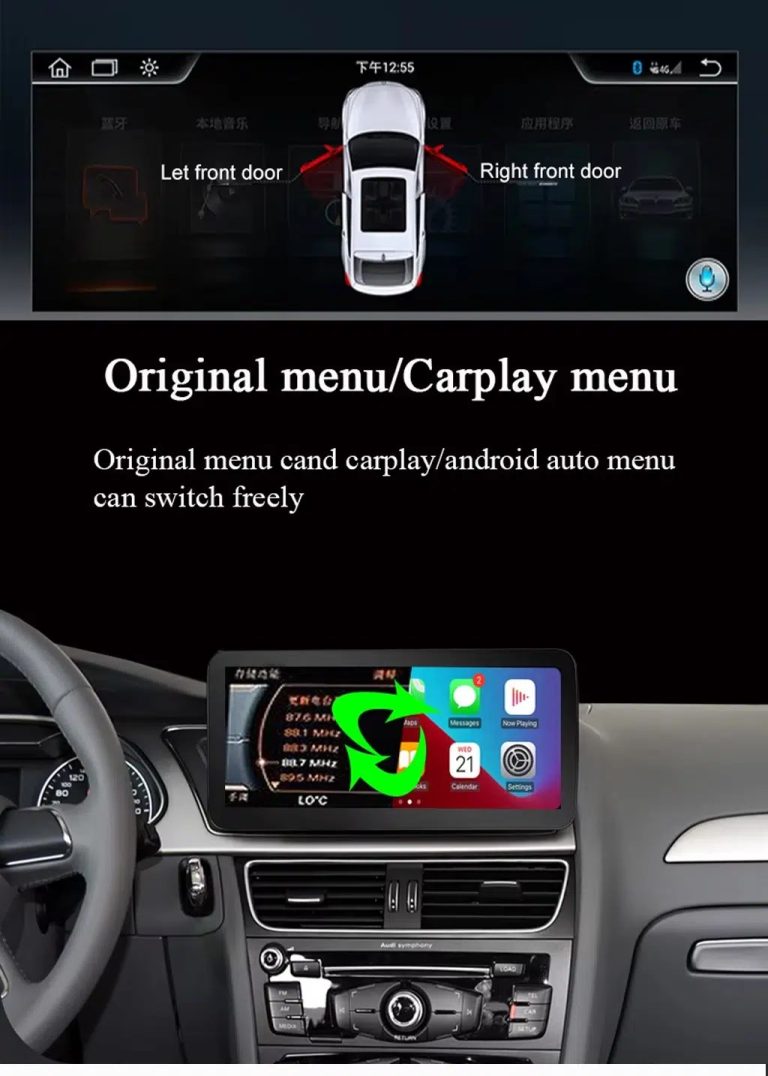
Use Original Menu and CarPlay Menu Switching

This visual explains how the owner can move between the supported original Audi interface and modern CarPlay / Android Auto style display.

Audi Q7 Android head unit original menu CarPlay menu switching

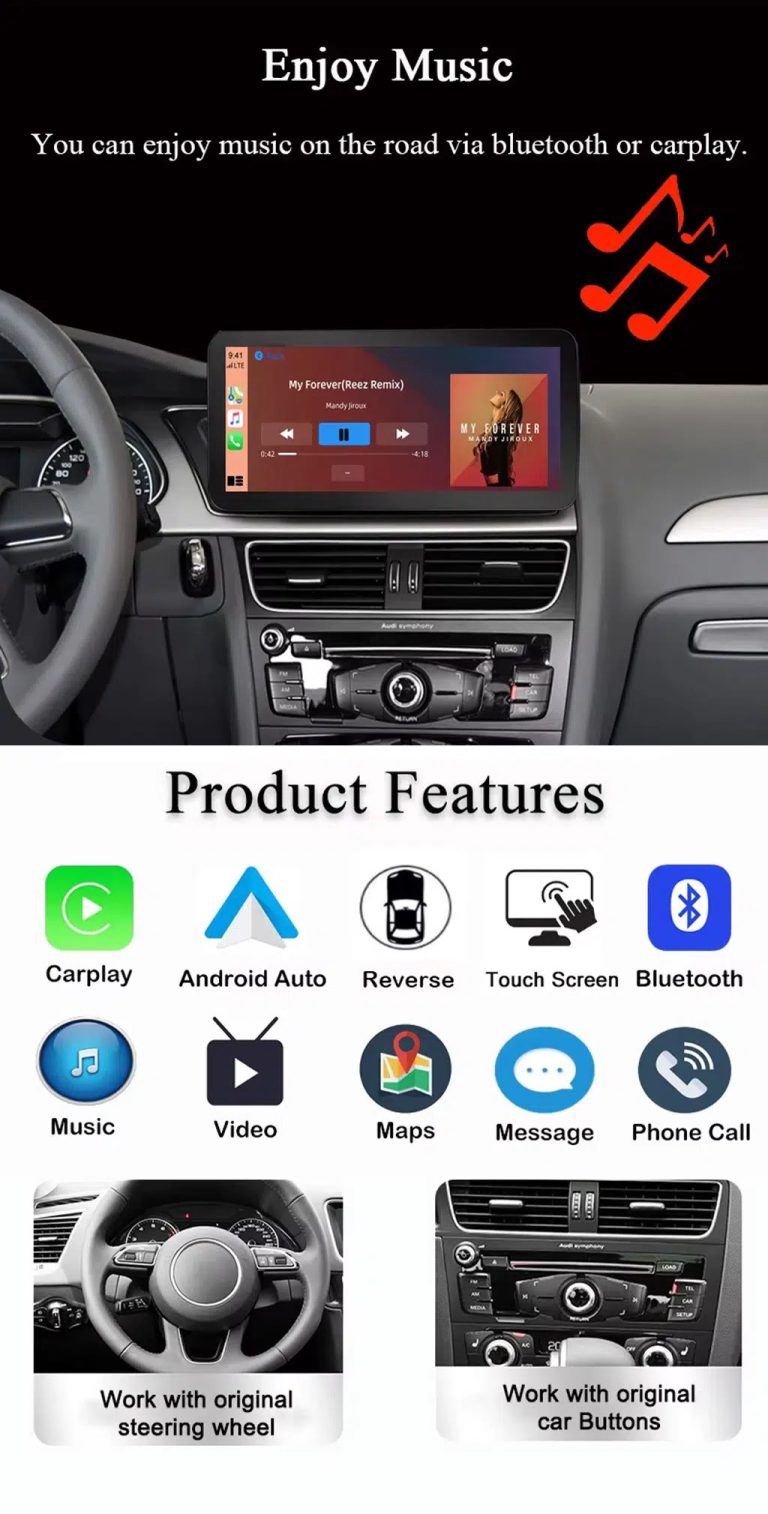
Use Music, Bluetooth, Maps and Steering-Wheel Controls

The function overview shows why the upgrade is useful every day: calls, music, maps, Bluetooth, touch operation and supported steering-wheel controls.

Audi Q7 Android head unit music Bluetooth maps CarPlay steering wheel features

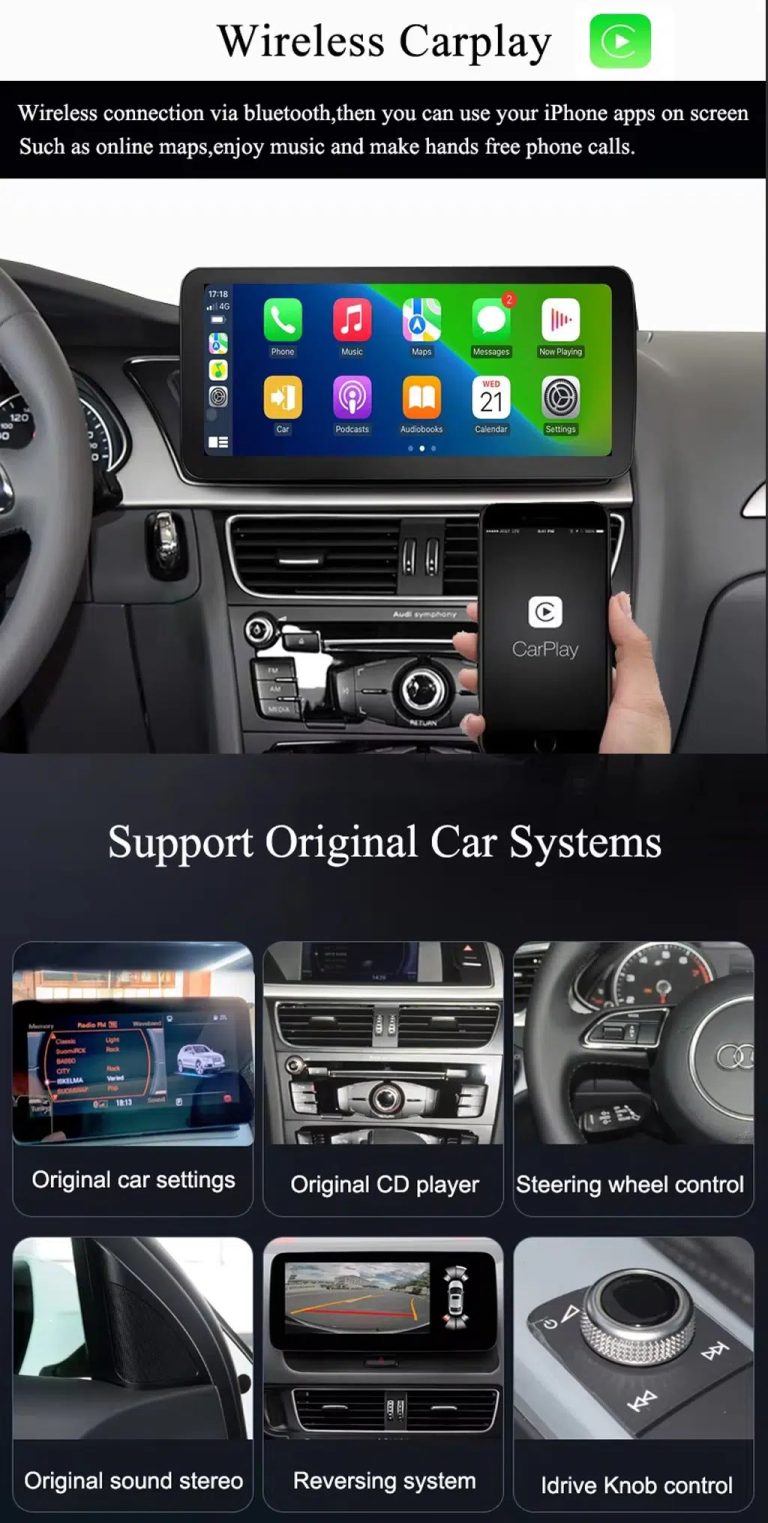
Show Wireless CarPlay and Original System Value Together

This image is useful because it combines wireless CarPlay with original car system retention, helping buyers understand that this upgrade is more than a simple screen swap.

Audi Q7 Android head unit wireless CarPlay and original system support

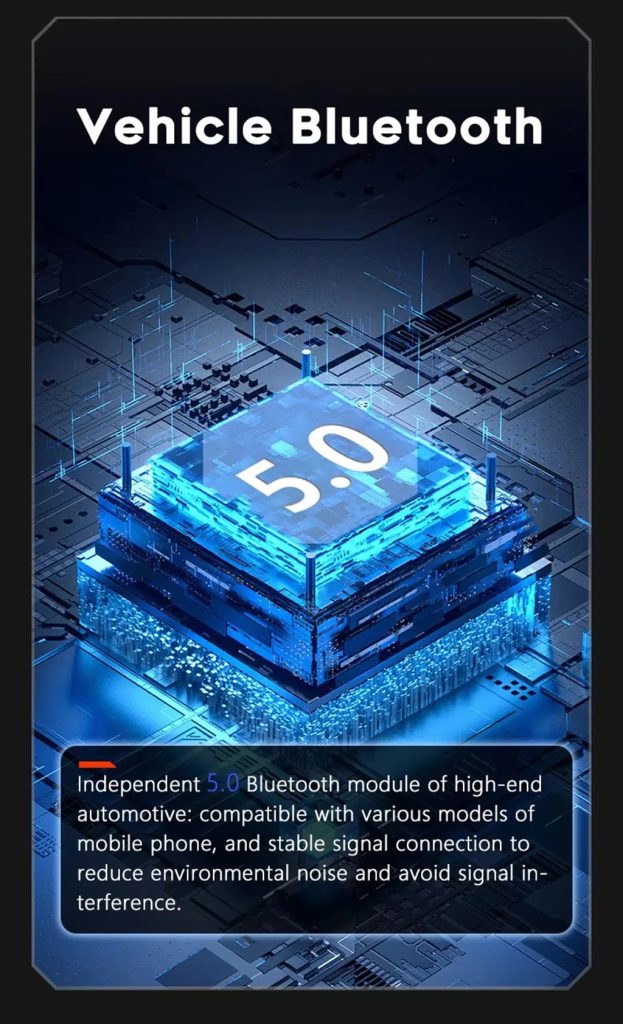
Improve Bluetooth Stability Where Supported

Bluetooth version depends on selected hardware, but the upgrade direction supports clearer phone and media connection than relying only on older factory behavior.

Audi Q7 Android head unit Bluetooth 5 feature reference

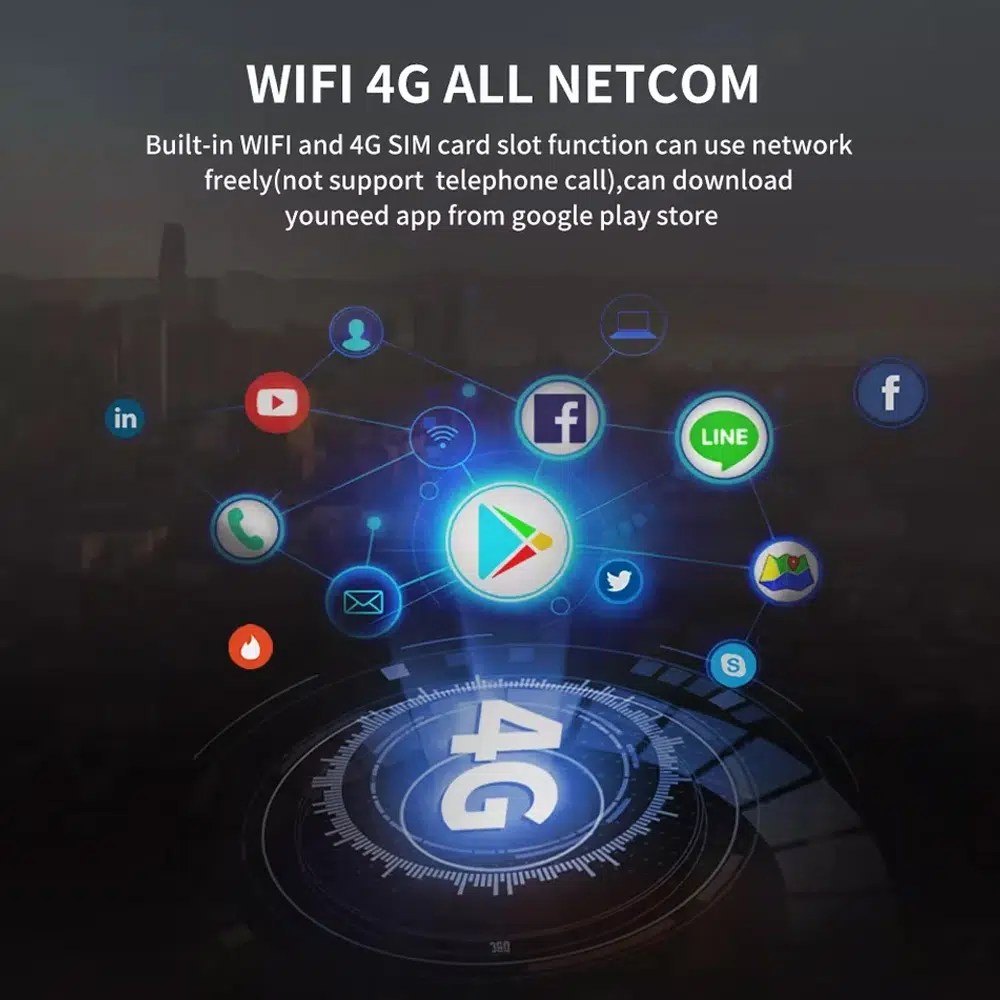
Use WiFi and 4G for Apps and Online Navigation

WiFi and compatible 4G support online maps, app downloads and connected Android functions where local network and selected hardware allow it.

Audi Q7 Android head unit WiFi 4G Google Play app connection

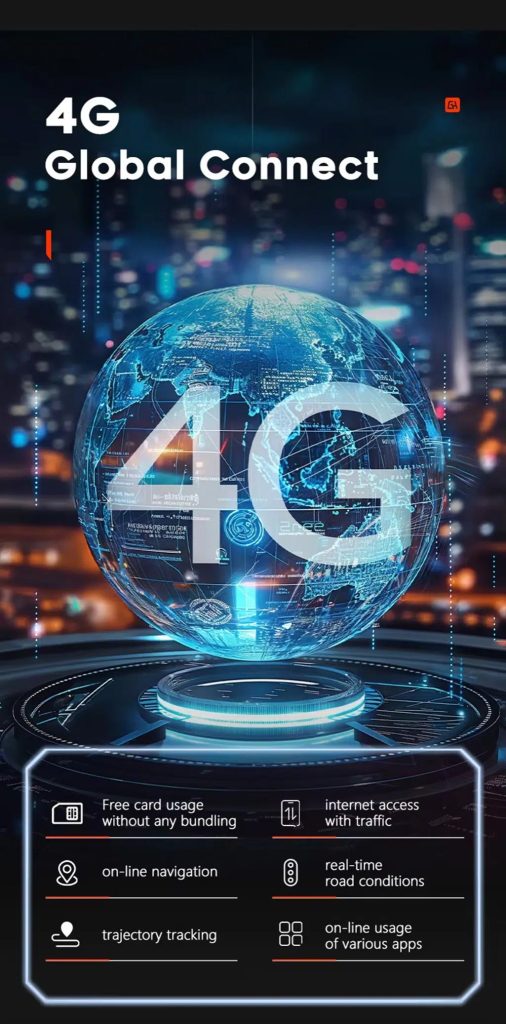
Use 4G Global Connect Where Available

This image supports the network-use value of the Android head unit: online navigation, traffic information and app access depend on active network service.

Audi Q7 Android head unit 4G global connect online navigation traffic apps

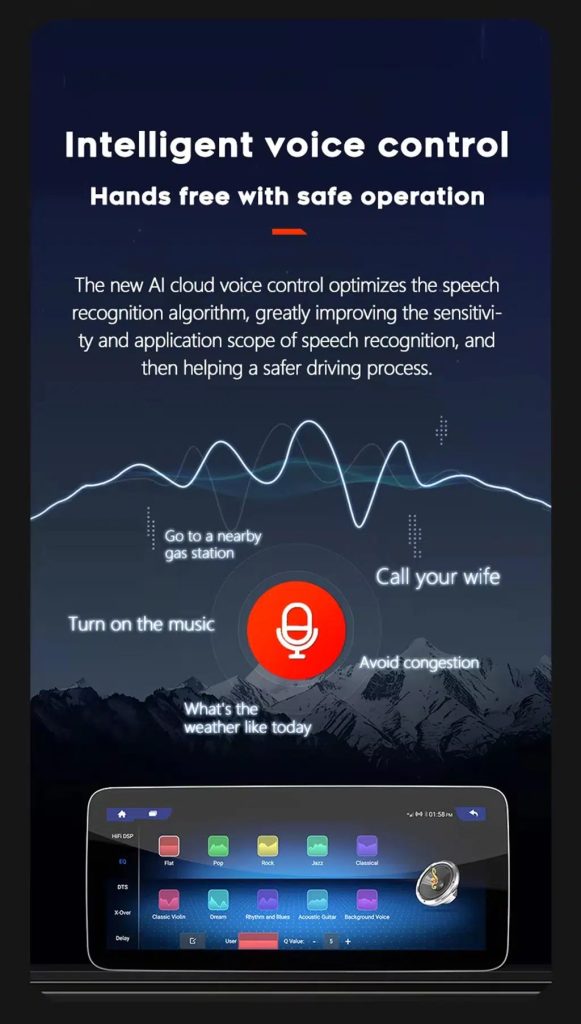
Use Voice Control With Compatible Apps

Voice control can make navigation, music and calls easier, but actual recognition depends on app, microphone, language, internet connection and phone compatibility.

Audi Q7 Android head unit intelligent voice control function

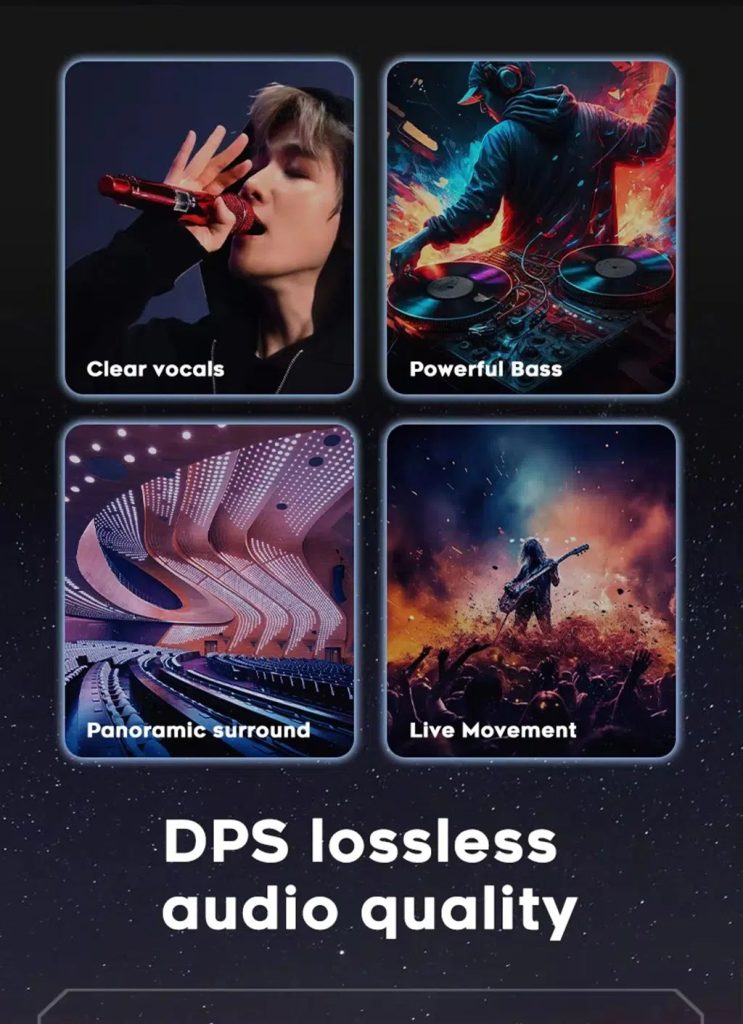
Improve Audio With DSP Where Supported

DSP helps tune vocals, bass, surround feeling and live-movement sound effects when the selected hardware version includes the supported DSP route.

Audi Q7 Android head unit DSP lossless audio quality feature

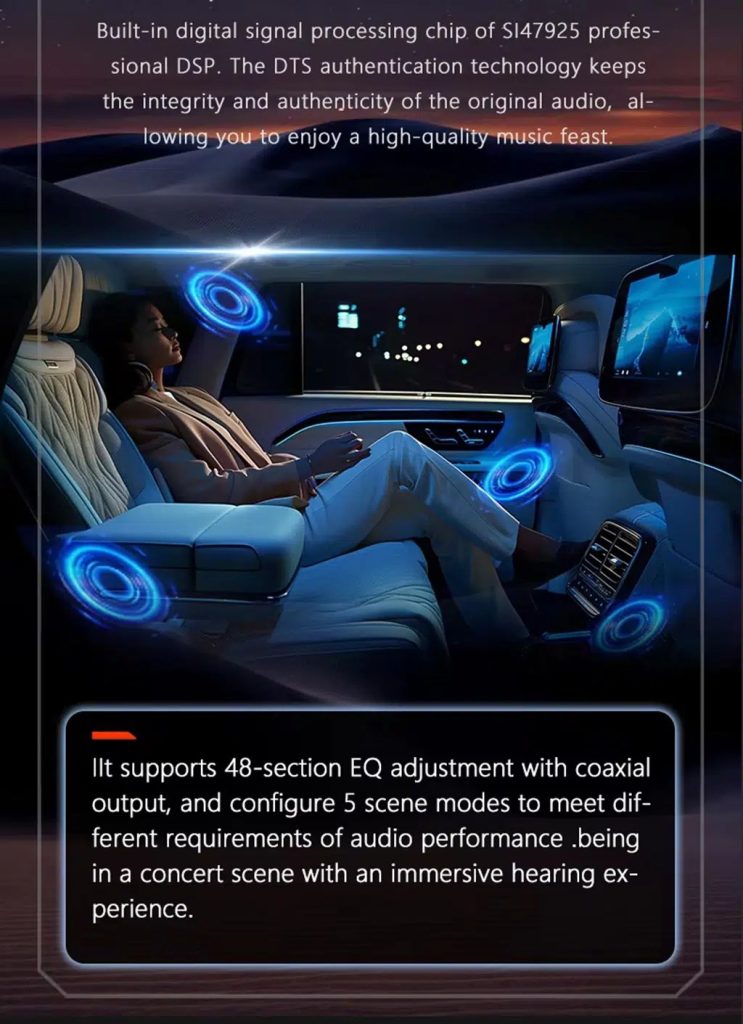
Review Multimedia and DSP Function Reference

This additional media image supports the buyer’s understanding of the audio and entertainment function direction before choosing the hardware version.

Audi Q7 Android head unit DSP and multimedia function illustration

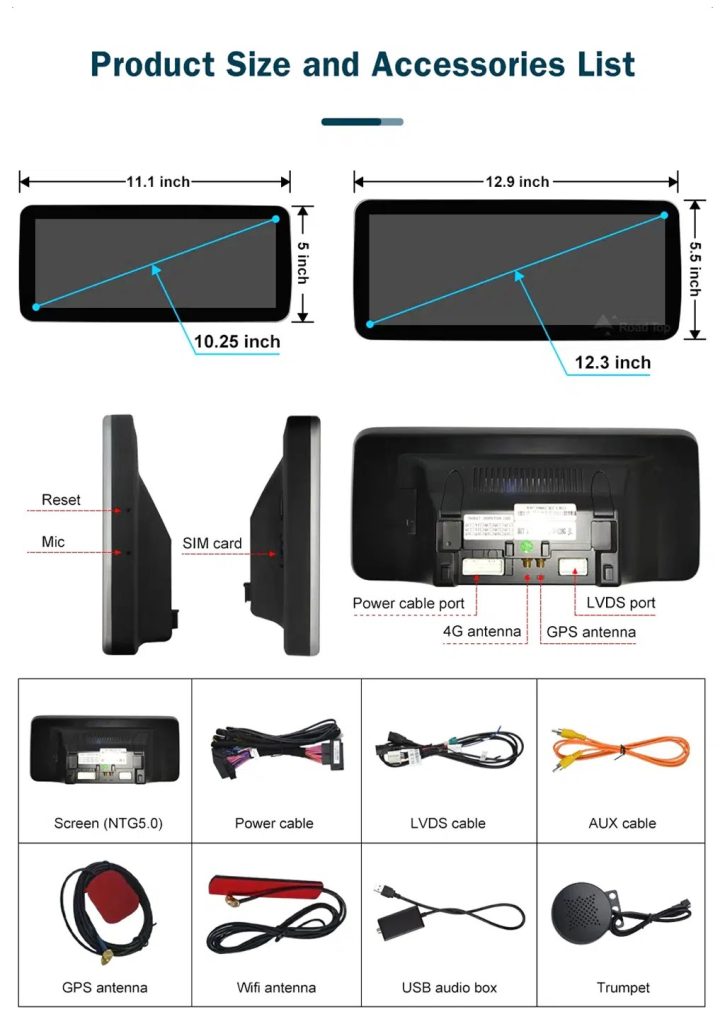
Check Product Size, Rear Ports and Accessories

This accessory image helps the installer understand screen size, rear connection area, LVDS, power cable, AUX cable, GPS antenna, WiFi antenna, USB audio box and other included parts.

Audi Q7 Android head unit product size ports and accessories list

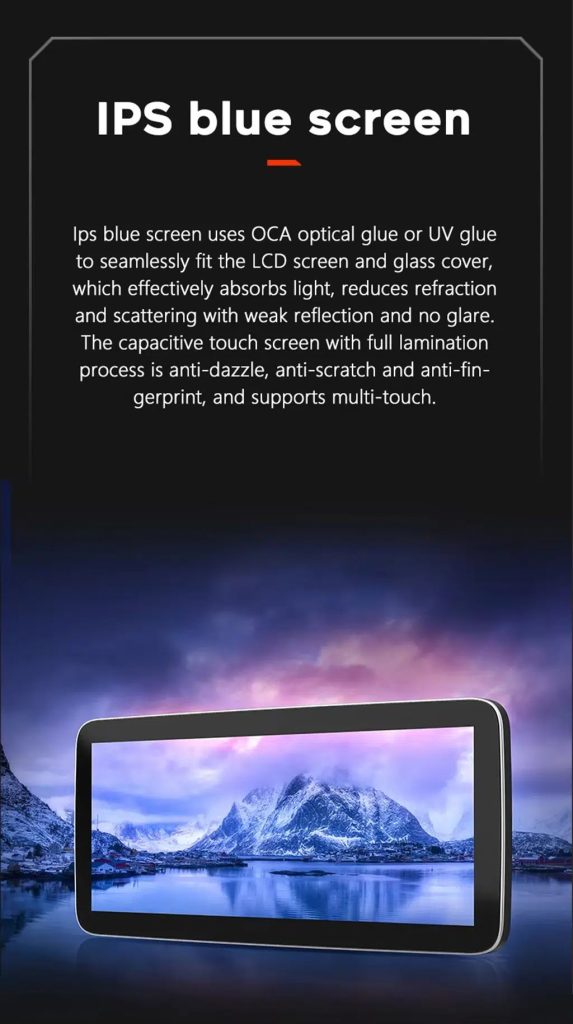
Understand the IPS Blue Screen Advantage

The IPS blue screen and capacitive touch direction helps the display feel clearer, smoother and more comfortable for daily dashboard use.

Audi Q7 Android head unit IPS blue screen capacitive touch display

Review the Product Gallery Before-and-After Reference

This gallery image gives another quick reference for the original Q7 display before installation and the wider Android interface after installation.

Audi Q7 Android head unit product gallery before after reference

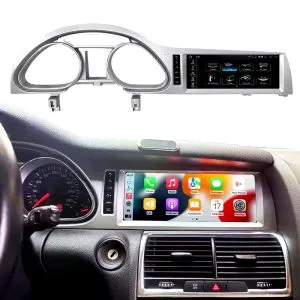
Confirm Another Installed Dashboard Angle

This gallery view shows the unit installed in the Q7 dashboard with a modern interface, helping buyers compare the final visual balance.

Audi Q7 Android head unit installed dashboard gallery reference

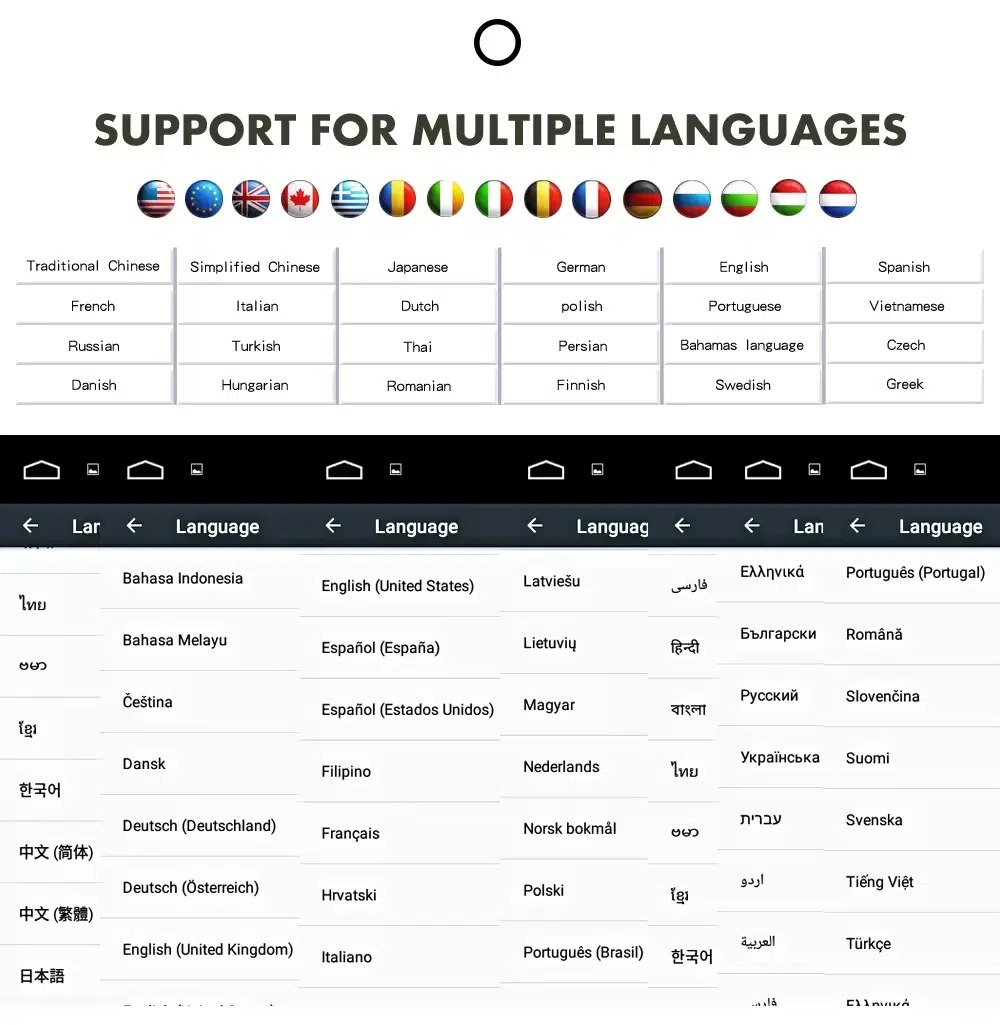
Confirm Multilingual Interface Support

Multiple language support helps international owners and installers use the Android interface in a familiar language. Final availability depends on firmware and app settings.

Audi Q7 Android head unit multiple language interface support
EnglischDeutschFranzösischEspañolItalianoPortuguêsNiederländischРусскийالعربية日本語中文

Installation Route for the Audi Q7 Android Head Unit

Main Work Required

  • Confirm dashboard year route, CD panel, MMI system and steering side before shipment.
  • Check whether the car has Bose, external amplifier or MOST fiber optic.
  • Remove the original screen area and required dashboard trim carefully.
  • Connect the matched power harness, CAN decoder, LVDS/video route and audio adapter.
  • Install fiber-optic decoder when confirmed necessary.
  • Connect GPS, USB, camera, microphone and 4G/WiFi accessories according to selected configuration.
  • Power on before final reassembly.
  • Test original menu switching, CarPlay, Android Auto, audio, steering-wheel controls, cameras, Bluetooth, GPS and sleep/wake behavior.

Recommended Installer

This is Level 3 — Advanced DIY. It is suitable for experienced DIY installers or an automotive electronics technician familiar with Audi MMI, dashboard trim, CANBUS, factory amplifiers and MOST fiber-optic systems.

Do not treat “plug-and-play” as “no configuration.” A plug-and-play harness only works correctly when the vehicle system and required adapters are matched first.

What Is Normally Included

Android Display

Vehicle-specific display assembly with the selected Android hardware configuration.

Wiring Harness

Power, signal and integration wiring selected according to the confirmed vehicle.

CAN Decoder

Compatible decoder for supported steering controls and vehicle-information integration.

GPS Antenna

External GPS antenna for supported Android navigation functions.

USB Connections

USB extension inputs for compatible media, accessories and software updates.

Optional Adapters

Fiber-optic decoder, camera interface, AMI cable or other adapters when confirmed as necessary.

Package contents vary by selected version and confirmed vehicle configuration. The final order details should be checked before dispatch.

Stop Installation and Contact iKAGOO If This Happens

  • The screen frame does not match the dashboard opening.
  • The connector shape or pin layout clearly does not match the supplied harness.
  • The car has Bose / MOST fiber optic but no confirmed decoder route.
  • No sound comes from the speakers after power-on testing.
  • The original MMI menu cannot be accessed after connection.
  • A fiber-optic cable is bent sharply, crushed or left disconnected.
  • A connector pin is bent, loose or damaged.
  • A fuse blows repeatedly.
  • You smell abnormal heat, burning or smoke.
  • The installation would require cutting the main factory wiring harness.

Shipping, Warranty and After-Sales Support

Auftragsabwicklung

Normal order preparation is usually 1–3 business days after your vehicle configuration has been checked.

Weltweiter Versand mit Sendungsverfolgung

International delivery is tracked. Estimated delivery time depends on destination, customs clearance and the shipping method selected at checkout.

12-Month Hardware-Garantie

Eligible hardware issues are handled under the iKAGOO limited warranty. Damage from incorrect wiring, misuse, water ingress or unauthorized modification is not normally covered.

Vehicle-specific products require correct information before shipment. If iKAGOO confirmed compatibility before purchase, your information was accurate, and no reasonable installation solution is available after supported troubleshooting, the current published return and refund policy applies.

Audi Q7 Android Head Unit FAQ

Is this Audi Q7 Android head unit for every Q7 from 2006 to 2015?

No, not automatically. Compatibility depends on dashboard structure, CD/MMI panel, steering side, amplifier, MOST fiber optic, camera system and connector layout. Vehicle photos must be checked before shipment.

Does this product support 2005 Audi Q7?

Yes, some product routes show 2005–2009 compatibility, but the main product title uses 2006–2015. Send dashboard and CD panel photos before ordering if your vehicle is 2005 or market-year unclear.

Unterstützt es drahtloses CarPlay und Android Auto?

Yes, supported configurations provide wireless Apple CarPlay and Android Auto for compatible smartphones. Connection behavior depends on the phone, firmware and selected hardware version.

Will the original Audi MMI menu still work?

Yes, supported original Audi menu access can be retained through the matched system-switching route, but the original MMI system and connector route must be confirmed first.

Will Bose or the factory amplifier still work?

Yes, it can work when the correct audio route is prepared. Some Bose, external amplifier or MOST fiber-optic systems may require a compatible decoder.

Does every Audi Q7 need a fiber optic box?

No, not every vehicle needs one. The requirement depends on the original amplifier and MOST fiber-optic audio configuration, not only the model year.

Can the original rear camera be retained?

Yes, retention may be possible with the correct video interface or decoder. The original camera format must be checked before ordering.

Does it work with LHD and RHD vehicles?

Yes, compatible routes may be available for both steering positions, but the frame and button orientation must be confirmed from dashboard photographs.

Ist die Installation einfach und problemlos?

Yes, the matched harness is designed for clean connection, but installation is still Level 3 — Advanced DIY because Audi MMI, amplifier, MOST fiber optic, camera and CANBUS functions must be checked and tested carefully.

What should I send before ordering?

Yes, send your vehicle year, LHD/RHD position, original dashboard photo, original screen photo, CD/MMI panel photo, amplifier details, connector photos if requested, and whether you need Bose/MOST, rear camera or 360 camera support.

Make Your Audi Q7 4L Feel Modern Again

Choose the Audi Q7 Android head unit if you want a 10.25-inch factory-style screen, wireless CarPlay, Android Auto, navigation, DSP audio and a configuration review for your Q7 dashboard, MMI and audio system.

Bewertungen

Es gibt noch keine Bewertungen.

Sei der Erste, der “Audi Q7 Android Head Unit 2006–2015 10.25″ CarPlay” bewertet”

Your email address will not be published. Required fields are marked

Sie müssen eingeloggt sein, um Ihrem Bewertung Fotos hinzufügen zu können.

iKAGOO: Versand, Garantie, Rücksendungen und Kundenservice
iKAGOO-Kundenservice

Versand, Garantie und Rücksendungen

Übersichtliche Informationen zur Auftragsabwicklung, zum internationalen Versand, zu fahrzeugspezifischen Produkten, zur Garantieleistung, zu Rücksendungen und zu beschädigten Sendungen.

Auftragsabwicklung In der Regel 1–3 Werktage vor dem Versand.
Internationaler Versand In der Regel 5–20 Werktage nach Versand, je nach Bestimmungsort.
Hardware-Garantie 12-monatige beschränkte Garantie auf berechtigte Herstellungsfehler.
Fahrzeugspezifischer Support Wir bieten Unterstützung bei der Kompatibilität, Verkabelung und Konfiguration.

Häufig gestellte Fragen

Diese Antworten bieten eine praktische Zusammenfassung. Die unten verlinkten vollständigen Richtlinien gelten für alle Bestellungen.

01

Von wo aus werden Bestellungen versandt, und wie lange dauert die Lieferung?

Die meisten iKAGOO-Bestellungen werden von unserem Fulfillment-Standort in China versandt, nachdem die Produktkonfiguration und die Fahrzeugdaten überprüft wurden. Die normale Auftragsabwicklung dauert etwa 1-3 Arbeitstage.

Die voraussichtlichen Lieferzeiten nach Versand betragen:

  • USA und Kanada: ca. 5–9 Werktage
  • Europäische Union: ca. 7–15 Werktage
  • Vereinigtes Königreich und Australien: ca. 7–10 Werktage
  • Weitere unterstützte Regionen: ca. 7–20 Werktage

Die voraussichtlichen Lieferzeiten können durch Zollabfertigung, lokale Feiertage, Lieferungen in abgelegene Gebiete, Wetterbedingungen oder Verzögerungen seitens des Transportunternehmens beeinflusst werden.

02

Muss ich Einfuhrsteuer, Mehrwertsteuer oder Zollgebühren zahlen?

Im regulären internationalen Versand sind in der Regel die im Zielland anfallende Mehrwertsteuer, Einfuhrzölle, Maklergebühren oder Zollabfertigungsgebühren nicht enthalten.

Für berechtigte Reiseziele in der Europäischen Union gibt es eine optionale DDP-Versandservice können anfallen. Einfuhrgebühren sind nur dann enthalten, wenn an der Kasse die Option „DDP“ ausgewählt oder von iKAGOO vor dem Versand schriftlich bestätigt wurde.

Wenn DDP nicht ausgewählt ist, trägt der Empfänger die Kosten, die von den örtlichen Zollbehörden oder dem Zustelldienst erhoben werden.

03

Kann ich einen Expressversand beantragen?

Für ausgewählte Produkte und Ziele ist möglicherweise ein Express- oder Eilversand verfügbar. Die Verfügbarkeit, der Versanddienstleister und etwaige Zusatzkosten werden vor dem Versand bestätigt.

Je nach Bestimmungsort und Produktart kann iKAGOO Versanddienstleister wie DHL, FedEx, UPS, EMS, 4PX oder einen anderen Logistikdienstleister mit Sendungsverfolgung einsetzen.

04

Wie kann ich meine Sendung verfolgen?

Nachdem die Bestellung versandt wurde, wird die Sendungsverfolgungsnummer oder der Link zur Sendungsverfolgung in der Regel an die bei der Bestellung angegebene E-Mail-Adresse gesendet.

Es kann mehrere Werktage dauern, bis Aktualisierungen der Sendungsverfolgung angezeigt werden, während ein Paket zwischen internationalen und lokalen Transportunternehmen weitergeleitet wird.

05

Wie lauten die Rückgabe- und Rückerstattungsbedingungen von iKAGOO?

Ob eine Rückgabe möglich ist, hängt vom Grund für die Rückgabe, dem Zustand des Produkts, dem Installationsstatus, den vorgelegten Nachweisen und davon ab, ob die Rückgabe von iKAGOO genehmigt wurde.

Bei einer Rücksendung von mangelfreien Artikeln muss das Produkt in der Regel unbenutzt, nicht installiert, vollständig und für den Wiederverkauf geeignet sein. Der Kunde trägt grundsätzlich die Kosten für die genehmigte Rücksendung.

Die ursprünglichen Versandkosten, DDP-Gebühren, Mehrwertsteuer, Zölle und sonstige Logistikkosten werden grundsätzlich nicht erstattet, es sei denn, dies ist gesetzlich vorgeschrieben oder wird von iKAGOO anderweitig bestätigt.

Senden Sie ein Produkt nicht zurück, ohne zuvor eine genehmigte Rücksendeadresse und Rücksendeanweisungen von iKAGOO erhalten zu haben.

06

Was passiert, wenn iKAGOO die Kompatibilität bestätigt hat, das Produkt aber nicht installiert werden kann?

Ein zusätzlicher Schutz kann gelten, wenn iKAGOO die Kompatibilität vor dem Kauf bestätigt hat, der Kunde korrekte Fahrzeugdaten angegeben hat und der Kunde bei angemessenen Einbau- und Diagnoseschritten mitgewirkt hat.

Falls iKAGOO bestätigt, dass keine angemessene technische Lösung verfügbar ist, und das Problem innerhalb von 7 Kalendertage nach Lieferung, hat der Kunde möglicherweise Anspruch auf eine Rückerstattung des Produktpreises, ohne dass er das Produkt zurückgeben muss.

Die ursprünglichen Versandkosten, DDP, Mehrwertsteuer, Zölle und sonstige Gebühren Dritter sind in dieser Rückerstattung des Produktpreises nicht enthalten.

07

Welche Garantie gewährt iKAGOO?

Zu den teilnahmeberechtigten iKAGOO-Produkten gehören unter anderem 12 Monate beschränkte Hardware-Garantie die sich auf nachgewiesene Herstellungsfehler und berechtigte Hardwareausfälle bei normaler Nutzung bezieht.

Je nach Problem kann die Lösung eine Ferndiagnose, Unterstützung bei der Konfiguration, Ersatzteile, eine Reparatur, einen Produktersatz, eine teilweise Rückerstattung oder eine vollständige Rückerstattung umfassen.

Die Garantie deckt in der Regel keine Schäden ab, die durch falsche Verkabelung, unbefugte Änderungen, versehentliche Beschädigungen, Eindringen von Wasser, Stöße, unsachgemäßen Gebrauch, falsche Spannung, Installationsfehler oder inkompatible Geräte von Drittanbietern verursacht wurden.

08

Erlischt die Garantie automatisch, wenn man die Verpackung öffnet?

Eine Inspektion oder Überprüfung durch Dritte führt nicht automatisch zum Erlöschen der gesamten Garantie. Schäden, die durch nicht autorisierte Reparaturen, den Austausch von Bauteilen, unsachgemäße Änderungen, unterbrochene Stromkreise oder eine unsachgemäße Wiederzusammenbau verursacht wurden, sind jedoch von der Garantie ausgeschlossen.

Wenden Sie sich vor dem Zerlegen oder der Reparatur des Produkts an iKAGOO, damit Ihnen die richtige Vorgehensweise zur Fehlerdiagnose mitgeteilt werden kann.

09

Was passiert, wenn meine Bestellung beschädigt ankommt oder Teile fehlen?

Wenden Sie sich innerhalb von an iKAGOO 7 Kalendertage nach Lieferung und bewahren Sie die Originalverpackung, das Versandetikett, das Zubehör und das Produkt auf.

Bitte reichen Sie aussagekräftige Fotos oder Videos ein, die Folgendes zeigen:

  • Der äußere Versandkarton und das Versandetikett
  • Sichtbare Beschädigungen an der Verpackung
  • Das Produkt und der betroffene Bereich
  • Das gesamte erhaltene Zubehör und die gesamte Verkabelung

Nach der Überprüfung kann iKAGOO je nach Einzelfall eine Nachlieferung fehlender Teile, einen Umtausch, eine Reparatur, eine Rückerstattung oder eine andere angemessene Lösung veranlassen.

10

Was soll ich tun, wenn ich das falsche Produkt bestellt habe?

Wenden Sie sich vor der Installation oder Nutzung des Produkts an iKAGOO. Ein Umtausch oder eine Rückgabe kann genehmigt werden, sofern das Produkt unbenutzt, nicht installiert, vollständig und in einem wiederverkaufsfähigen Zustand ist.

Die Versandkosten sowie etwaige Preisunterschiede gehen in der Regel zu Lasten des Kunden, wenn das falsche Produkt, Fahrzeugmodell, Baujahr oder die falsche Werkskonfiguration ausgewählt wurde.

Ein kostenloses Prepaid-Rücksendeetikett wird nicht automatisch bereitgestellt.

11

Kann ich meine Bestellung nach der Bezahlung ändern oder stornieren?

Wenden Sie sich so schnell wie möglich an iKAGOO, am besten innerhalb von 12 Stunden nach der Bestellung, wenn Sie eine Adresse, eine Fahrzeugkonfiguration oder eine Produktänderung anfordern.

Eine Änderung oder Stornierung wird erst nach Bestätigung durch iKAGOO wirksam. Fahrzeugspezifische Produkte können kurz nach Zahlungseingang in die Beschaffung, Programmierung, Prüfung, Konfiguration oder kundenspezifische Vorbereitung übergehen.

Sobald mit der Vorbereitung oder dem Versand begonnen wurde, ist eine Stornierung möglicherweise nicht mehr möglich, oder es können bereits entstandene angemessene Kosten in Abzug gebracht werden.

12

Was ist in dem Paket enthalten?

Der Lieferumfang variiert je nach Produkt, Fahrzeugmodell, Werksausstattung und gewählter Konfiguration.

Je nach Produkt kann der Lieferumfang das Hauptgerät, fahrzeugspezifische Kabelbäume, eine CAN-Bus-Schnittstelle, Adapter, USB-Kabel, Antennen, Mikrofone, Befestigungsmaterial und weiteres Installationszubehör umfassen.

Die genauen Lieferumfangskomponenten entnehmen Sie bitte der entsprechenden Produktseite, den Verpackungsfotos und der Bestellbestätigung.

13

Wie kann ich den iKAGOO-Support kontaktieren?

Sie können iKAGOO über das Kontaktformular, per E-Mail, über WhatsApp oder über die verfügbaren Supportkanäle auf der Website kontaktieren. Die übliche Antwortzeit beträgt 24 Geschäftsstunden.

Um einen schnelleren technischen Support zu erhalten, geben Sie bitte Ihre Bestellnummer, das Fahrzeugmodell und das Baujahr, Fotos des Werkssystems, Produktfotos sowie ein aussagekräftiges Video an, in dem das Problem deutlich zu sehen ist.

Besuchen Sie: iKAGOO – Kontakt und Support

14

Ist die Zahlung sicher, und gibt es die Möglichkeit, in Raten zu zahlen?

Die Zahlungen werden über die sicheren Zahlungsmethoden abgewickelt, die während des Bezahlvorgangs angezeigt werden. Die verfügbaren Kreditkarten-, E-Wallet- und Ratenzahlungsoptionen können je nach Land, Währung, Zahlungsanbieter und Berechtigung des Kunden variieren.

Jeder Ratenzahlungsdienst, einschließlich der von PayPal oder einem anderen Anbieter angebotenen Optionen, unterliegt den regionalen Verfügbarkeits- und Genehmigungsbestimmungen des jeweiligen Anbieters.

Lesen Sie die vollständigen iKAGOO-Richtlinien

Lesen Sie sich vor der Bestellung die vollständigen Geschäftsbedingungen durch, insbesondere in Bezug auf fahrzeugspezifische Produkte, internationale Steuerregelungen und Rückgaben im Zusammenhang mit dem Einbau.
Diese FAQ sind ein vereinfachter Leitfaden für Kunden. Bei Abweichungen im Wortlaut haben die vollständigen, veröffentlichten Richtlinien, die Bestellbestätigung und das geltende Verbraucherrecht Vorrang.

Audi Q7 Android Hauptgerät 2006-2015 Audi Q7 Android Head Unit 2006...

From: $325.00

Ausführung wählen